

Arize AI
Continuous LLM-as-Judge Evals at Scale with Arize and Doubleword
As agentic workflows grow more complex - spawning subagents, routing between steps, and chaining tool calls - the number of LLM-as-a-judge evaluations needed to grade a single trace grows quickly. Evaluation is the only way to keep those workflows from regressing, but running a frontier judge synchronously on thousands of production traces is an operational bottleneck: you tie up application code, hit aggressive rate limits, and pay premium real-time inference prices for a background task.
Our goal with this guide is to show you how to connect Doubleword and Arize for high throughput yet inexpensive inference and evaluations at scale.
By routing your Arize evaluation workloads through Doubleword's batch API, you can run top-tier models (like DeepSeek V4 Pro, Qwen-3.6 and others) as your judge for 4-6x less than real-time API costs, with zero rate-limit throttling.
-
Tracing - track every generation and judgement as a trace. Break down complex agents and llm calls into individual steps with 'spans' (individual steps such as generating text, fetching data, and using tools like web_search or send_sms that agents use to access information and perform actions).
-
Evaluations - evaluate llm outputs against graded references to maintain quality, reliability and consistency. These are often referred to as 'evals'.
Note: Doubleword seamlessly fits with OpenAI compatible endpoints.
Using Arize Phoenix, the open-source alternative to Arize? Follow the Doubleword × Arize Phoenix guide instead.
Quickstart
- A Doubleword API key - sign up at app.doubleword.ai and generate a key on the API Keys page.
- An Arize account - sign up at Arize AX.
- Python 3.11+.
If you are using a coding agent to set up Arize and Doubleword, you can use the setup prompts to help you get started faster:
Follow the instructions from https://arize.com/docs/PROMPT.md and ask me questions as needed.Use the documentation from https://doubleword.ai/llms.txt for help with the Doubleword inference APIConfiguring Arize AX
Step 1: Log in to Arize SaaS and Doubleword and Obtain API Keys
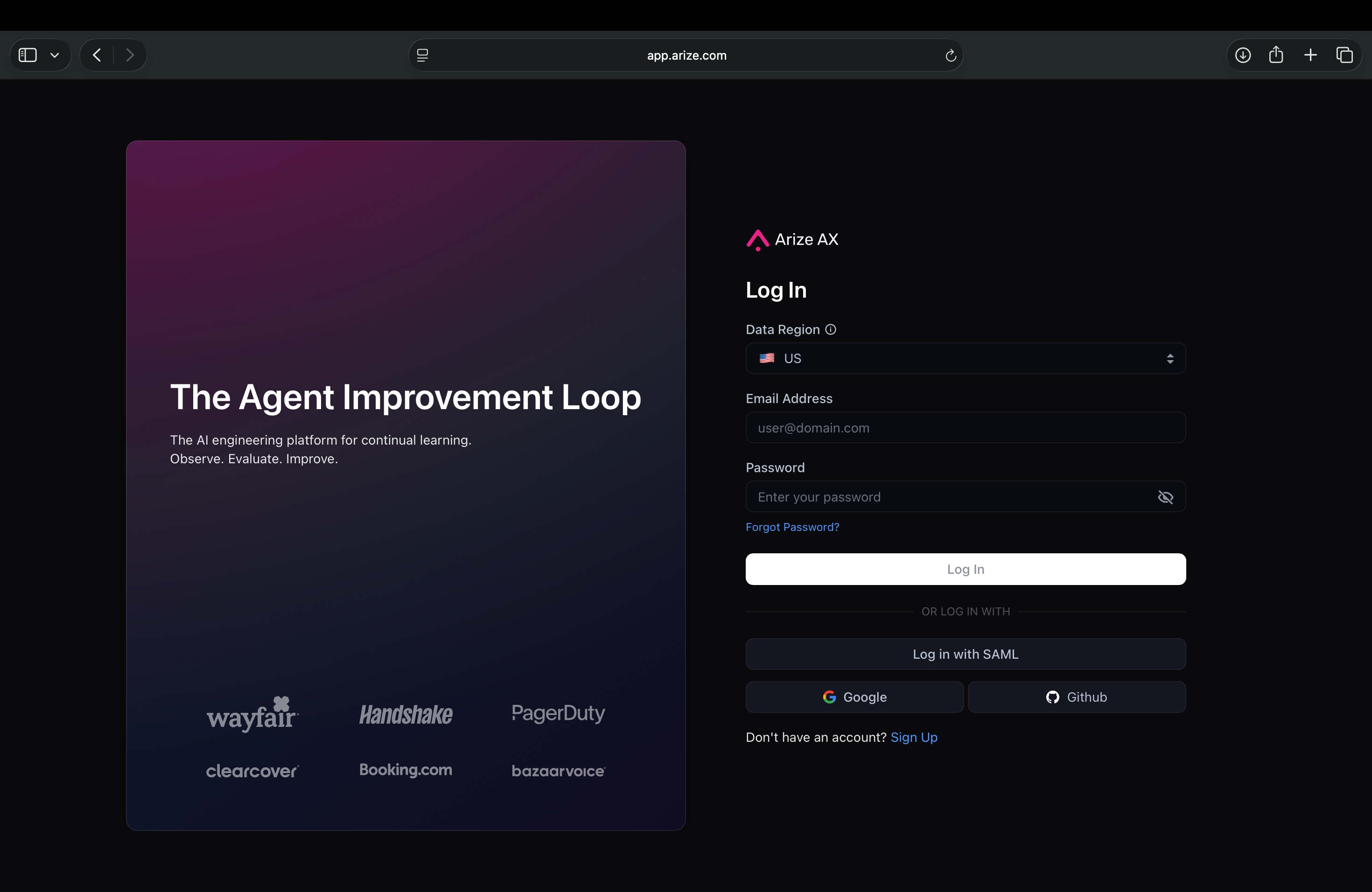
If you don't have one already, create an account or log in to your Arize workspace.
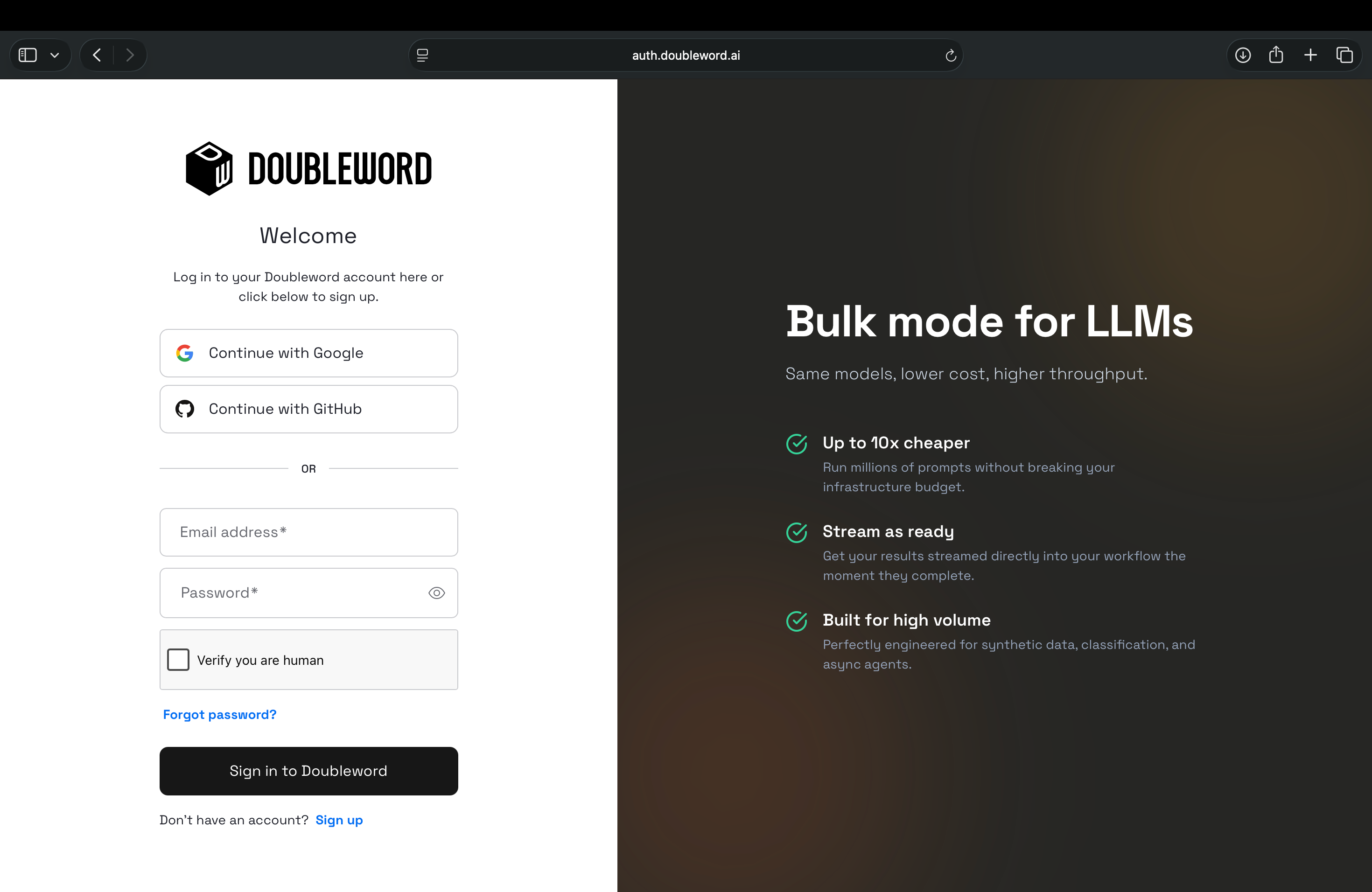
Do the same on the Doubleword console and use the sidebar option 'API Keys' to generate a Doubleword API key.
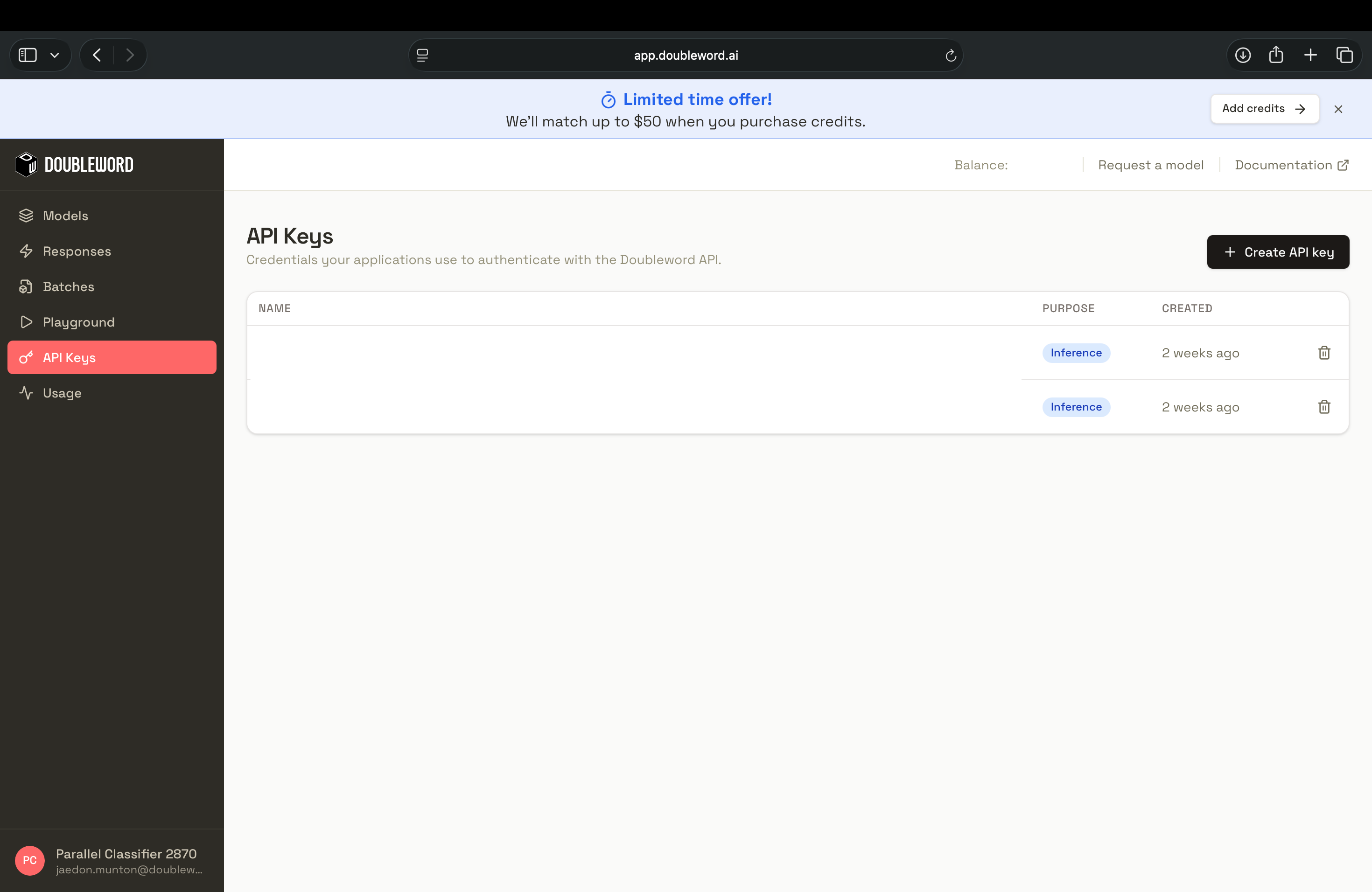
Tip: Always keep API keys secure and never share them publicly.
Step 2: Add Doubleword as an AI Provider
To make Doubleword a first-class citizen in your workspace, add it to your provider list so Arize can securely route evaluation prompts to our async endpoints.
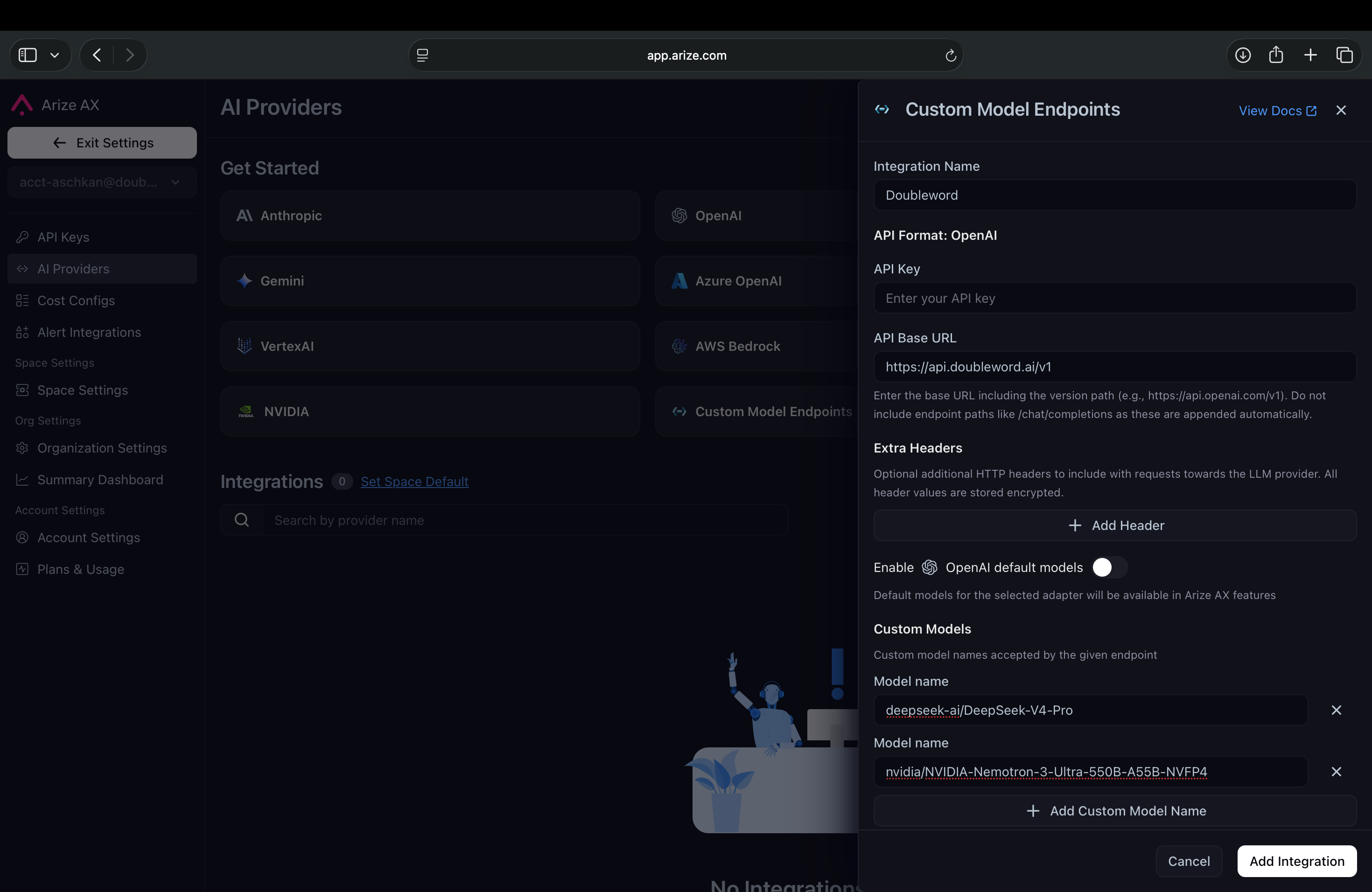
- In Arize, navigate to Settings > AI Providers.
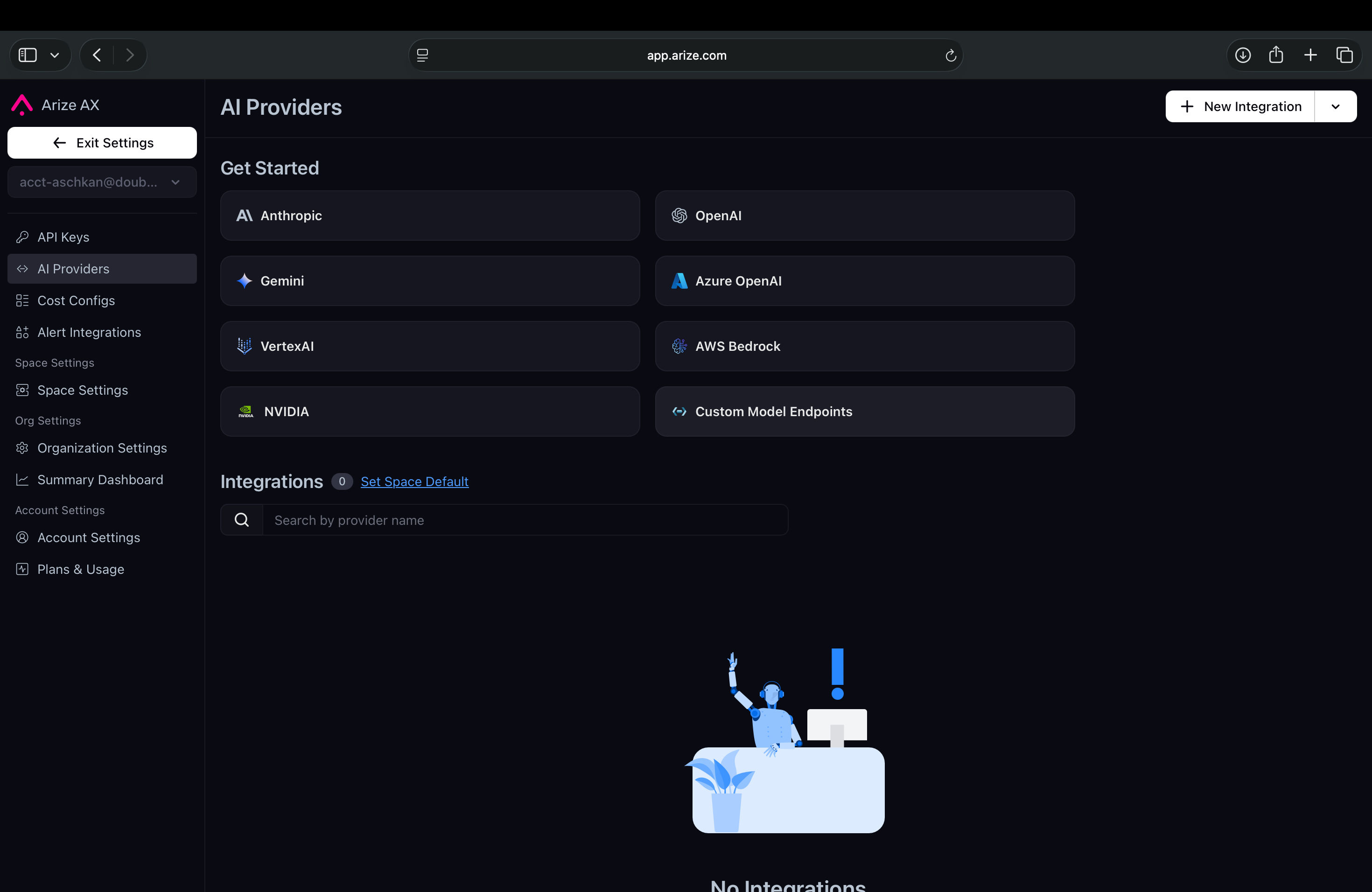
- Select the Custom Model Endpoint to add a custom provider.
- Fill in the form as follows:
| Field | Value |
|---|---|
| Integration Name | Doubleword (or any name you like) |
| API Format | OpenAI |
| API Key | Your Doubleword API key (e.g. sk-...) |
| API Base URL | https://api.doubleword.ai/v1 - include /v1; do not add /chat/completions |
| Extra Headers | Leave empty |
| OpenAI default models | Off - we're not using standard OpenAI models (though GPT-OSS models are available from doubleword) |
| Custom Models → Model name | Your Doubleword model(s), e.g. deepseek-ai/DeepSeek-V4-Pro (see the model catalog) |
-
(Optional) Under Advanced Settings, turn on Supports function calling if your models use tools. Set the Authorized Org / Space to your workspace, click Test Integration, then save.
-
Once you have added your Doubleword API key and the model name, the 'Test Integration' button will check that you are all set to then 'Save Integration'.
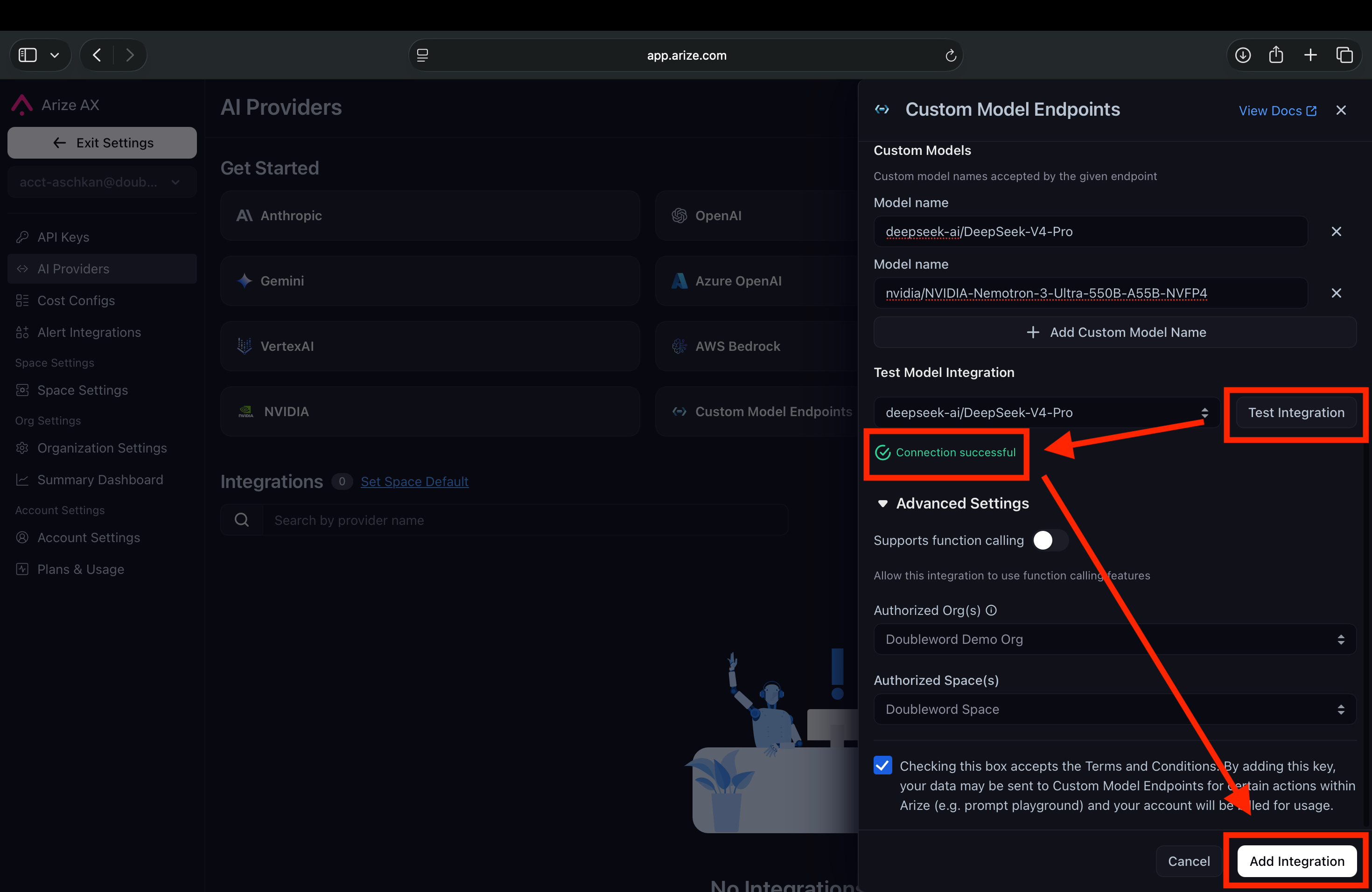
Note: We are currently working with Arize to become a default, one-click provider in this dropdown. Adding custom providers requires admin privileges for your Arize AX workspace.
Step 3: Select Your Project
In the Arize sidebar, go to Observe → Tracing Projects. Pick a name for this run's project - it appears here automatically the first time you send traces (Step 1 sets it via project_name), or you can create one up front. This is where your LLM-as-a-judge traces and scores will live.
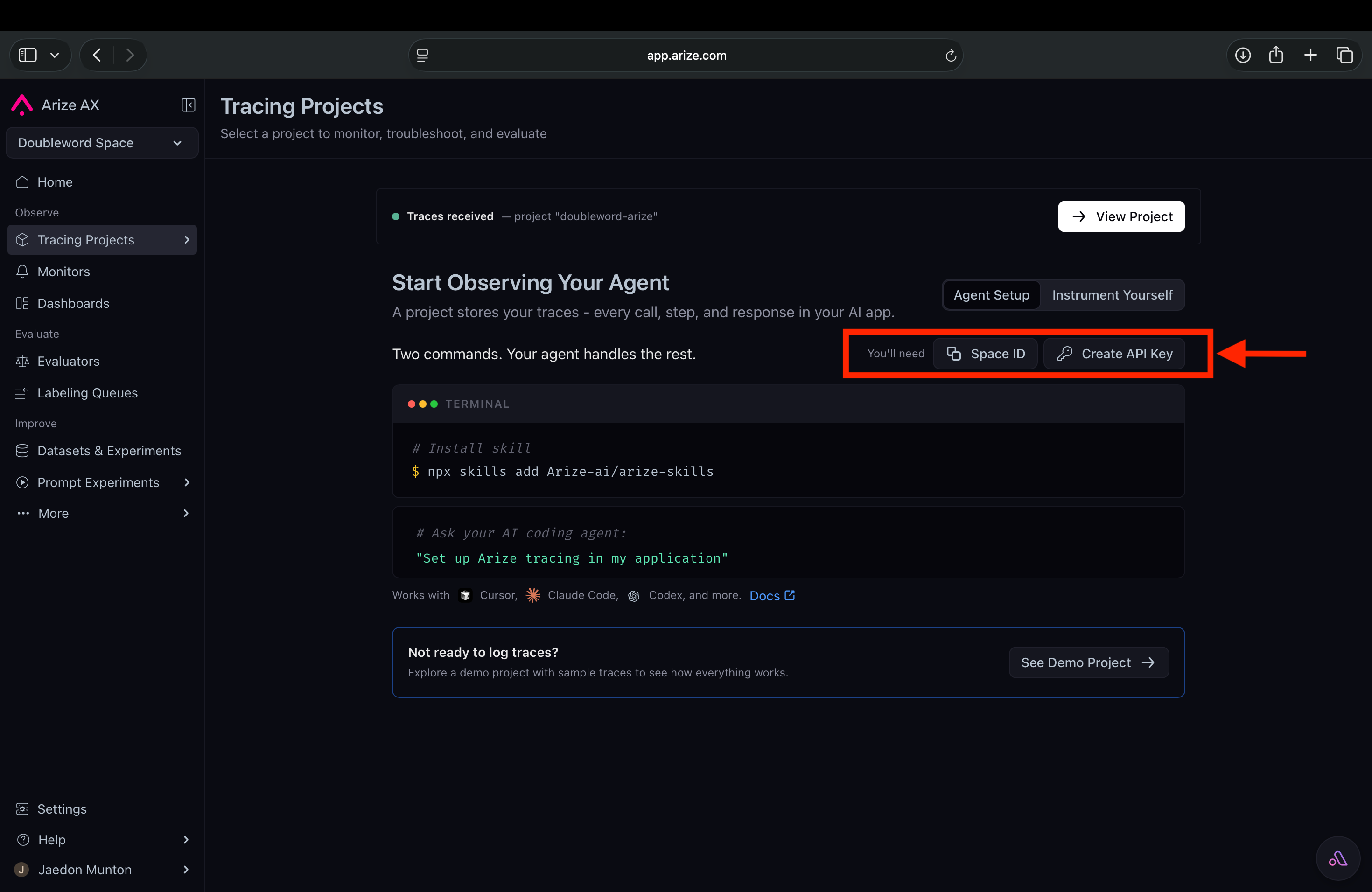
Step 4: Get your Space ID and API key
Tracing is wired up in code (next section), and it needs two values from Arize. Open Settings and copy your Space ID and API key - you'll drop them into the setup below (or your .env).
Running an Evaluation
pip install autobatcher openinference-instrumentation-openaiAdd the Arize AX tracing helper:
pip install arize-otelStep 1 - Connect Arize
Arize AX - copy your Space ID and API key from Settings in the Arize app:
from arize.otel import register
from openinference.instrumentation.openai import OpenAIInstrumentor

tracer_provider = register(
    space_id="YOUR_SPACE_ID",
    api_key="YOUR_ARIZE_API_KEY",
    project_name="llm-judge-evals", # Leave this or Rename this to your project name
)
OpenAIInstrumentor().instrument(tracer_provider=tracer_provider)
Arize now traces every call below automatically.
Tip: on slow or large batches, set
OTEL_EXPORTER_OTLP_TRACES_TIMEOUT=30000(ms) so the root spans reliably reach Arize. It's in.env.example.
Step 2 - Generate answers on Doubleword batch
Switching to batches from realtime is easy. BatchOpenAI automatically converts and upgrades them to batches.
Tip: You can see past and current runs as well as live updates on the batches page of app.doubleword.ai. Choose a model from the model catalog. Not sure which? Play around and compare with different models on the playground.
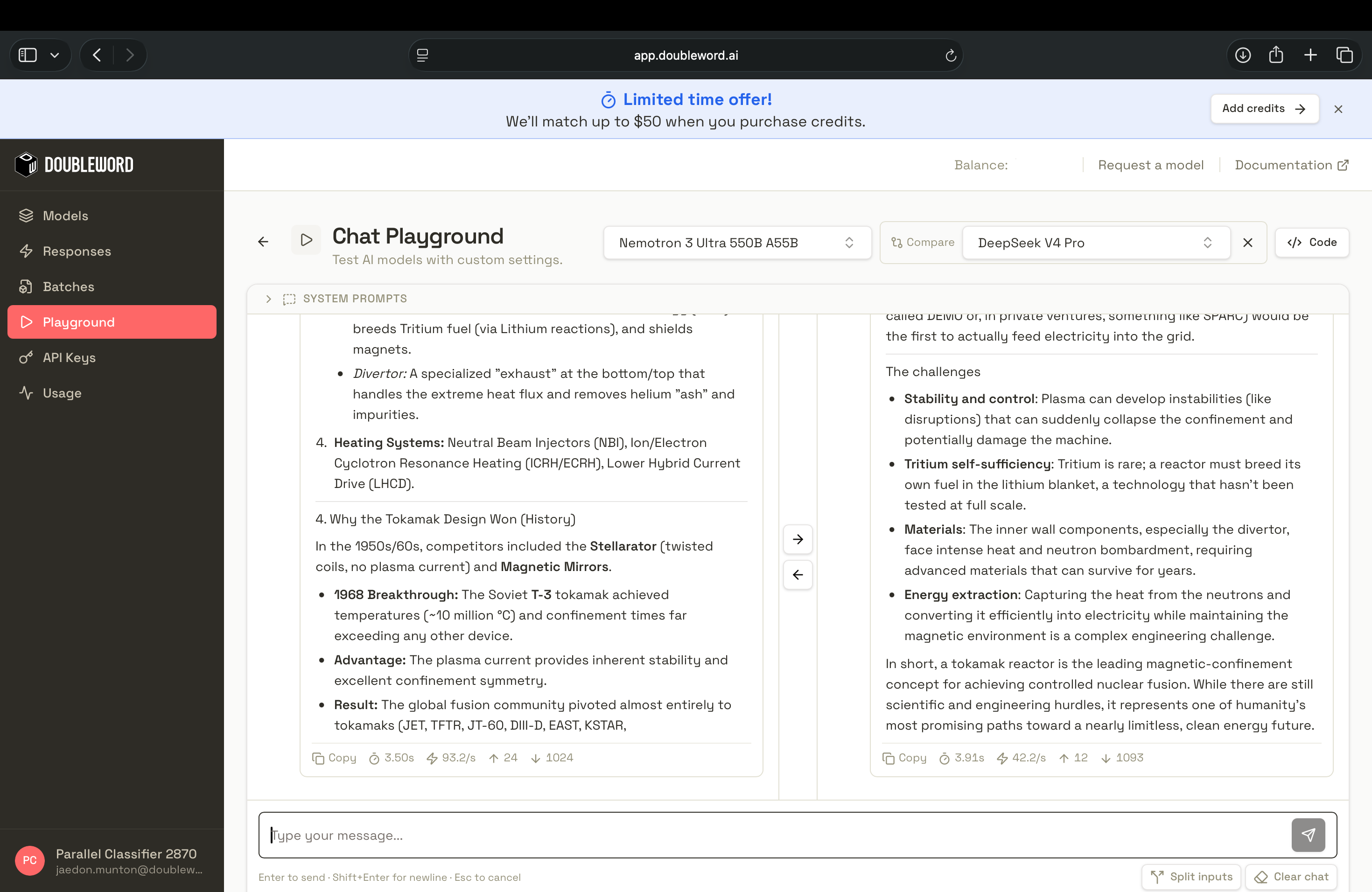
Here we show how you can set up a batch client and generate answers on your eval set. In the next step we will use a judge to grade the outputs from this step.
import asyncio
from autobatcher import BatchOpenAI

MODEL = "deepseek-ai/DeepSeek-V4-Pro"  # pick from docs.doubleword.ai/inference-api/model-pricing

questions = [
    "What happens if you eat watermelon seeds?",
    "Why do veins look blue?",
    # ...your eval set
]

async def generate(client, question):
    resp = await client.chat.completions.create(
        model=MODEL,
        messages=[{"role": "user", "content": question}],
    )
    return resp.choices[0].message.content

async def main():
    async with BatchOpenAI(
        api_key="YOUR_DOUBLEWORD_API_KEY",
        base_url="https://api.doubleword.ai/v1",
    ) as client:
        answers = await asyncio.gather(*[generate(client, q) for q in questions])
    return answers

answers = asyncio.run(main())
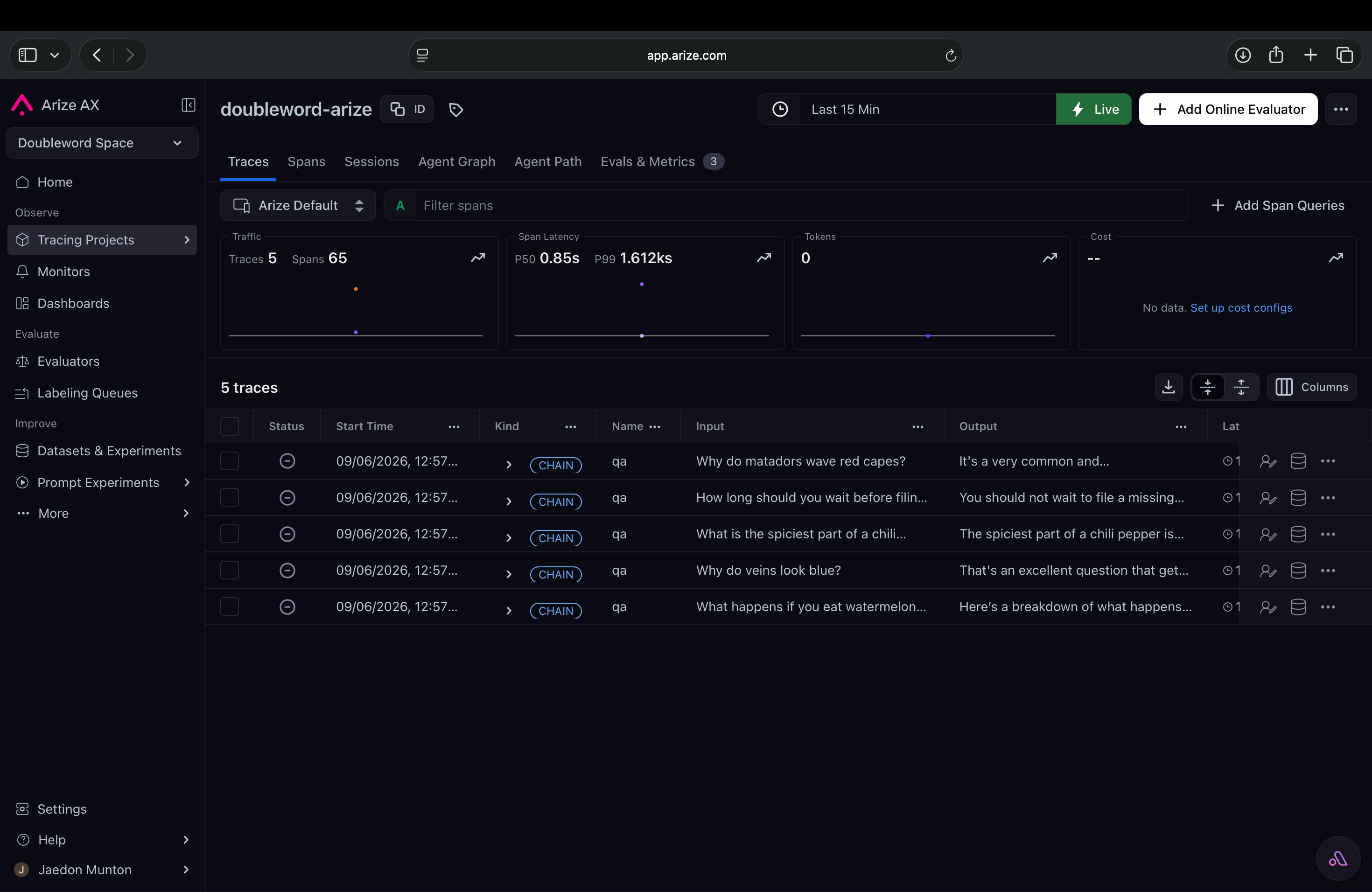
Open your project in Arize. On the Tracing Projects page, each call is there as a span with its prompt, output, and token counts.
Step 3 - Judge the Answers
The judge is another batch call that hands the model the question and the answer, asks for scores back as JSON. Reuse the same client so the judgements land in the same Arize project.
import json

JUDGE = (
    "Score the answer from 0 to 1 on relevance, truthfulness, and tone. "
    'Reply with JSON only: {"relevance": float, "truthfulness": float, "tone": float}.'
)

async def judge(client, question, answer):
    resp = await client.chat.completions.create(
        model=MODEL,
        messages=[
            {"role": "system", "content": JUDGE},
            {"role": "user", "content": f"Question: {question}\nAnswer: {answer}"},
        ],
        response_format={"type": "json_object"},
    )
    return json.loads(resp.choices[0].message.content)

async def main():
    async with BatchOpenAI(
        api_key="YOUR_DOUBLEWORD_API_KEY",
        base_url="https://api.doubleword.ai/v1",
    ) as client:
        answers = await asyncio.gather(*[generate(client, q) for q in questions])
        scores = await asyncio.gather(
            *[judge(client, q, a) for q, a in zip(questions, answers)]
        )
    return scores
Step 4 - Send the scores to Arize as evaluations
So far the judge scores only live in the trace as text. To turn them into structured evaluations - sortable, filterable columns and metrics on each span - log them back to Arize, keyed by span ID. Wrap each item in a span so you can grab its ID, then push the scores with the Arize SDK.
pip install arizeimport asyncio
import os
import time
import pandas as pd
from opentelemetry import trace
from arize import ArizeClient
from autobatcher import BatchOpenAI
# Continues Steps 2 & 3: reuses `generate`, `judge`, and `questions` from above.
# (For one complete, runnable file, see arize_eval.py in this repo.)
tracer = trace.get_tracer("doubleword-evals")
async def run_item(client, q):
with tracer.start_as_current_span("qa") as span:
span.set_attribute("input.value", q)
answer = await generate(client, q)
scores = await judge(client, q, answer) # {"relevance": .., "truthfulness": .., "tone": ..}
span.set_attribute("output.value", answer)
span_id = format(span.get_span_context().span_id, "016x")
return span_id, scores
async def main():
async with BatchOpenAI(
api_key="YOUR_DOUBLEWORD_API_KEY",
base_url="https://api.doubleword.ai/v1",
) as client:
return await asyncio.gather(*[run_item(client, q) for q in questions])
results = asyncio.run(main())
# One row per span. .get() guards against malformed judge output (no KeyError).
rows = []
for span_id, s in results:
row = {"context.span_id": span_id}
for name in ("relevance", "truthfulness", "tone"):
val = float(s.get(name, 0))
row[f"eval.{name}.score"] = val
row[f"eval.{name}.label"] = "pass" if val >= 0.7 else "fail"
rows.append(row)
# Evals attach by span ID, so the spans must be ingested first. Spans export on a
# short delay (longer if a batch was slow), so poll-and-retry instead of one sleep.
client = ArizeClient(api_key=os.environ["ARIZE_API_KEY"])
for attempt in range(1, 7): # up to ~60s total
time.sleep(10)
try:
client.spans.update_evaluations(
space_id=os.environ["ARIZE_SPACE_ID"],
project_name="llm-judge-evals",
dataframe=pd.DataFrame(rows),
)
break
except Exception as e:
print(f"Eval upload attempt {attempt}/6 failed ({e}); spans may still be landing, retrying...")
else:
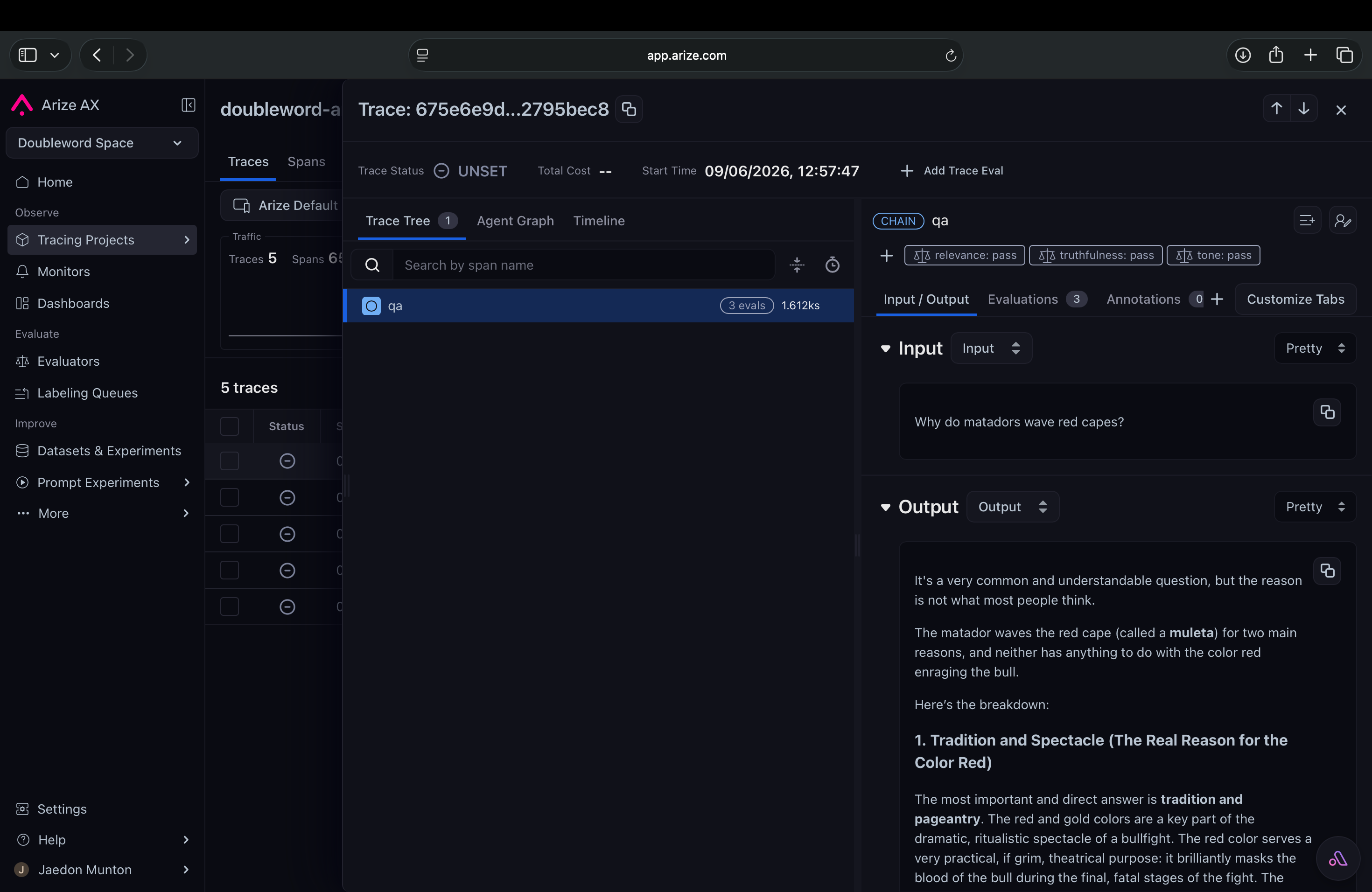
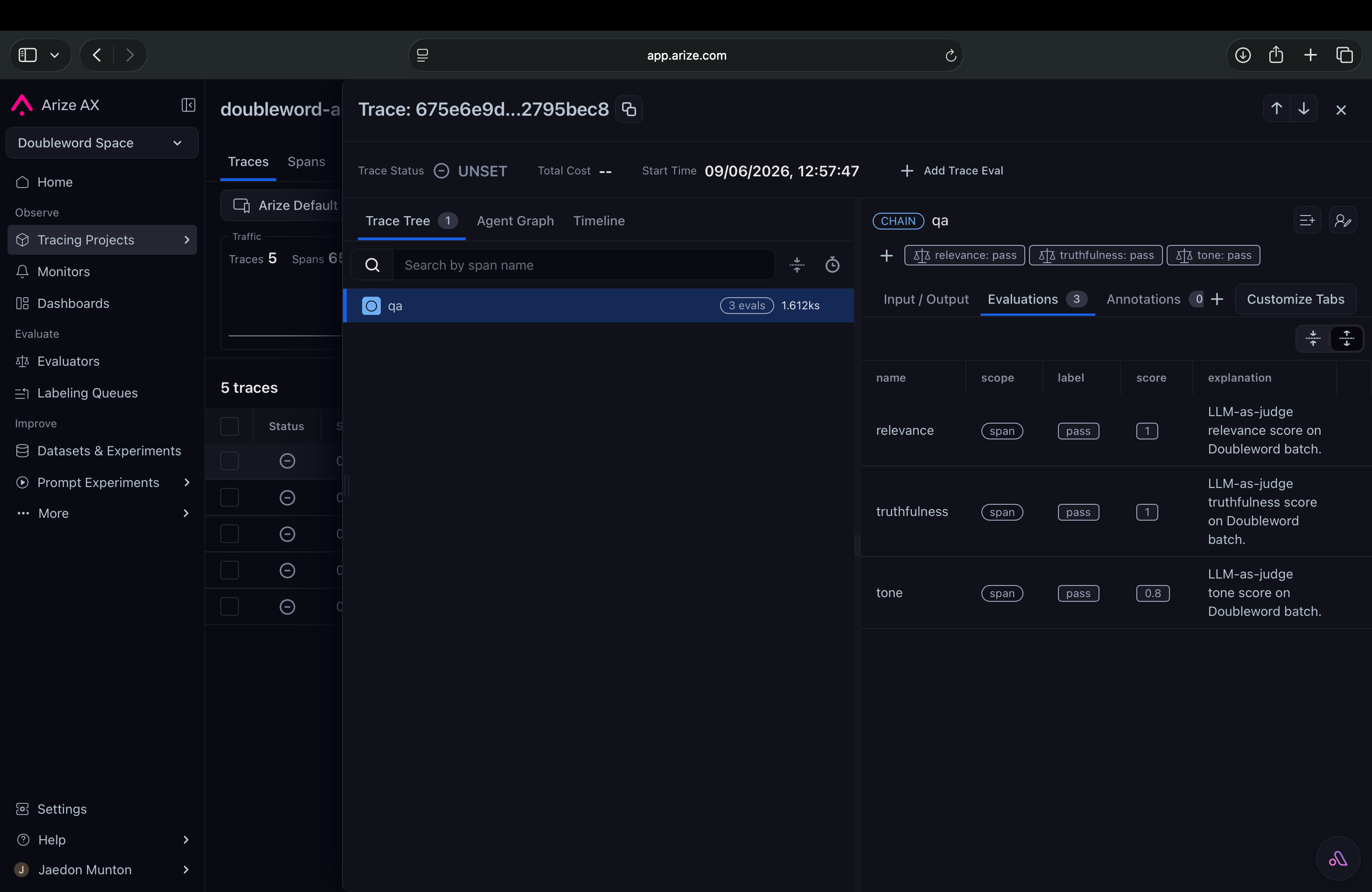
print("Gave up after retries. Wait ~30s and re-run; check ARIZE_SPACE_ID / ARIZE_API_KEY.")Refresh your project in Arize - every span now carries relevance, truthfulness, and tone scores you can sort, filter, and chart. You keep batch pricing for the judging and still get first-class evals.
Tip: spans need a few seconds to land in Arize before evals can attach. If a batch was slow, give it a moment (or re-run this last block) so the scores match up.
How Arize and Doubleword work together
Telemetry and cost
Arize is your source of truth for traces, spans, and eval scores, and it shows token counts per call out of the box. For the actual batch spend, use Doubleword - the app.doubleword.ai console lists in-flight, current, and completed batches with their total cost, and the dw CLI gives the same via dw batches analytics.
Order of operations
- Most Doubleword batches come back very fast. A batch might be 90%+ complete after 10-15 mins, but the remainder could take longer to complete.
- To grade every item in a batch, wait for the generation batch to complete before grading.
Going further
- Full worked example - the async-evals workbook runs generate-then-judge over a dataset of 817 items from the TruthfulQA dataset as an evaluation experiment with LLM-as-a-judge for $0.50 total.
- autobatcher - the batch client used here, also available for TypeScript: github - autobatcher.
- Arize AX - docs.
- Prefer open-source? Integrate Doubleword with Arize Phoenix.