

Intro to Doubleword Inference
Doubleword provides three styles of inference, each optimized for different workloads. Pricing scales with how fast you need each response, meaning async and batch inference offer significant cost savings over realtime pricing — the more latency flexibility you have, the lower the rate.
All three styles use OpenAI or Anthropic-compatible APIs. Not every model is available in every tier — visit the model catalog to see tier availability and the price breakdown per model.
| Realtime | Async | Batch | |
|---|---|---|---|
| How it works | Shared, rate-limited request-response endpoint | Open Responses API with service_tier: "flex" or Autobatcher1 | Upload JSONL file, or use Autobatcher1 |
| Latency | Immediate | Minutes, ~1 min to first token | Hours (24h SLA) |
| Cost | Standard pricing | Reduced pricing | Lowest pricing |
| API change | None, drop-in OpenAI or Anthropic replacement | Set service_tier: "flex", or swap SDK import for Autobatcher | Prepare a JSONL file, or swap SDK import for Autobatcher |
| Best for | Model testing, development, prototyping, prompt iteration | Agentic workflows, background pipelines, production workloads | Dataset processing, evaluations, bulk generation |
Realtime Inference
Realtime inference provides an immediate request-response experience using the standard OpenAI-compatible API. The self-serve endpoint is designed for development and testing, making it easy to evaluate models, iterate on prompts and prototype your application.
Self-serve Realtime runs on shared, rate-limited capacity. For production realtime workloads, talk to us about a dedicated deployment. We’ll review your workload and optimise the infrastructure around your requirements to deliver the best combination of throughput, latency, caching and price.
If your workload doesn’t require an immediate response, Async and Batch offer significantly lower pricing
Use the Chat Completions API or the Open Responses API with service_tier: "priority". Supports background: true to submit and poll for the result.
Talk to us about production Realtime →
Async Inference
Async inference strikes the balance between realtime and batch — faster turnaround than batch, with higher throughput than realtime — all at reduced cost. Submitted work is guaranteed to start processing within a minute, which makes it ideal for background agents that keep making progress without paying realtime rates. Two approaches:
-
Inference APIs — Set
service_tier: "flex"on the Responses or Chat Completions APIs for native async support with background polling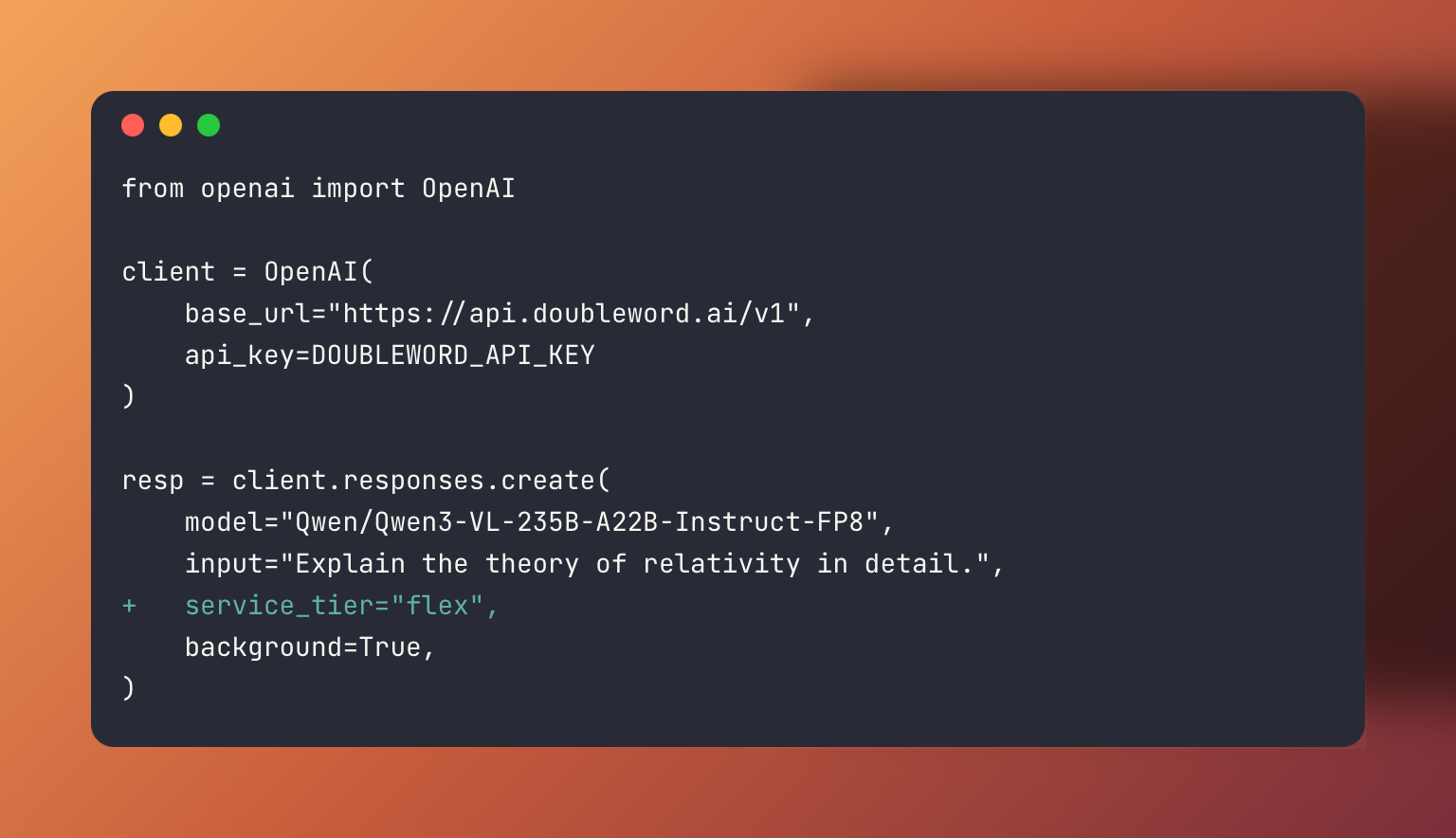
-
Autobatcher — The Autobatcher's
AsyncOpenAIclient automatically runs existing Chat Completions code asynchronously with a single import change
Best suited for:
- Multi-step agentic workflows where each call doesn't need an instant response
- Background content generation and classification pipelines
- Any application code that can tolerate short async delays
- Teams migrating from OpenAI who want immediate cost savings with zero refactoring
Get started with Async Inference →
Batch Inference
Batch inference is designed for large-scale data processing workloads that run outside of your application code. You upload requests as JSONL files and retrieve results when processing is complete.
With a 24-hour SLA, batch inference offers the deepest cost savings — ideal for workloads where turnaround time is measured in hours, not seconds.
You can prepare requests as JSONL files directly, or use the Autobatcher's BatchOpenAI client to get batch pricing from existing Chat Completions code without writing JSONL files yourself.
Best suited for:
- Large dataset processing and transformation
- Model evaluations and benchmarking
- Bulk content generation and classification
- Research workflows and data enrichment
Get started with Batch Inference →
Footnotes
-
Autobatcher is a client library that exposes the same interface as the OpenAI SDK — swap the SDK for
autobatcherto run your existing code as async or batch. See the async and batch pages for details. ↩ ↩2