

LangWatch
Real users rarely behave the way you expect, so an agent that passes your tests can still fail in production. A wrong answer, a bad tool call or a quiet drop in quality costs user trust, creates support work, and can trigger actions that are hard to undo. The longer it goes unnoticed, the more traffic it hits. You need to find what failed, see which step broke, and prove the fix works.
LangWatch is an open-source observability and evaluation platform for LLM apps and agents. It traces your app's calls, tests your agent against simulated users, and scores outputs before you ship and on live traffic. You can use it with Doubleword models to:
- Debug production issues. Search traces in plain language, browse conversations by topic, and open any run to find the failing step.
- Test a fix before you ship it. Agent Testing replays a production trace as a simulation, with a judge model scoring the conversation. The same tests run locally and on every pull request.
- Catch regressions as they happen. Online evaluators score live traffic, so you spot quality drops before your users do.
- Pick the right model for each job. Experiments compare models or prompts side by side, and you can set a different default model for each role.
The judge, the simulated user, evaluators and topic clustering all need a model, and each suits a different one. Doubleword is a built-in LangWatch provider, so one API key gives you open models from DeepSeek, Qwen, GLM, Kimi, gpt-oss and more, plus embeddings models, in every LangWatch model picker. The list stays in sync with the Doubleword catalog, and traces show each call's cost at Doubleword's rates.
Prerequisites
- LangWatch account with a project. Sign up at app.langwatch.ai.
- Doubleword account, for the API key in step 1.
- Python 3.10 to 3.13, only if you want to trace your own app with the LangWatch SDK.
1. Generate a Doubleword API key
Sign in to the Doubleword Console, create a key under API Keys, and copy it, since it is only shown once.
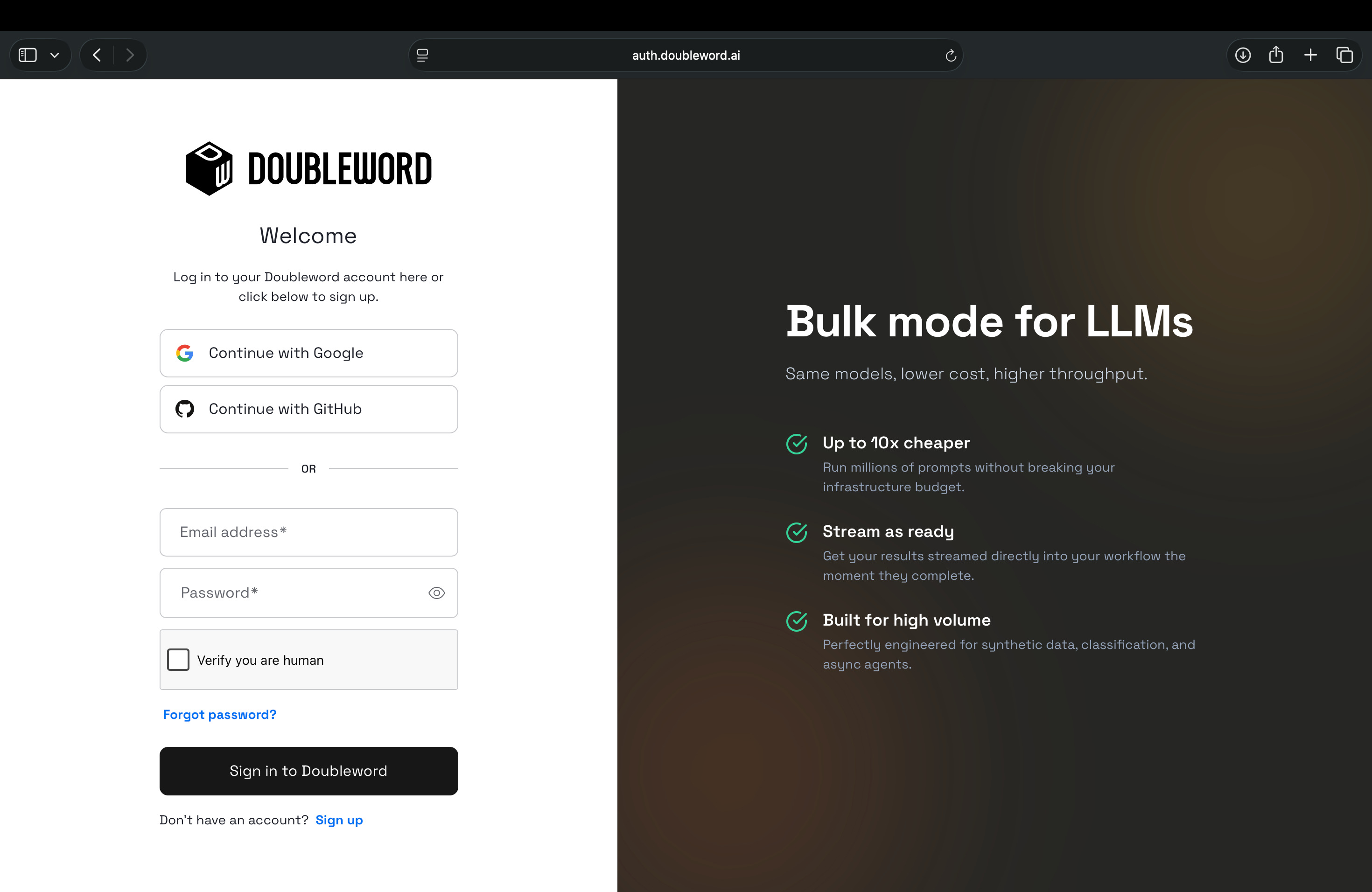
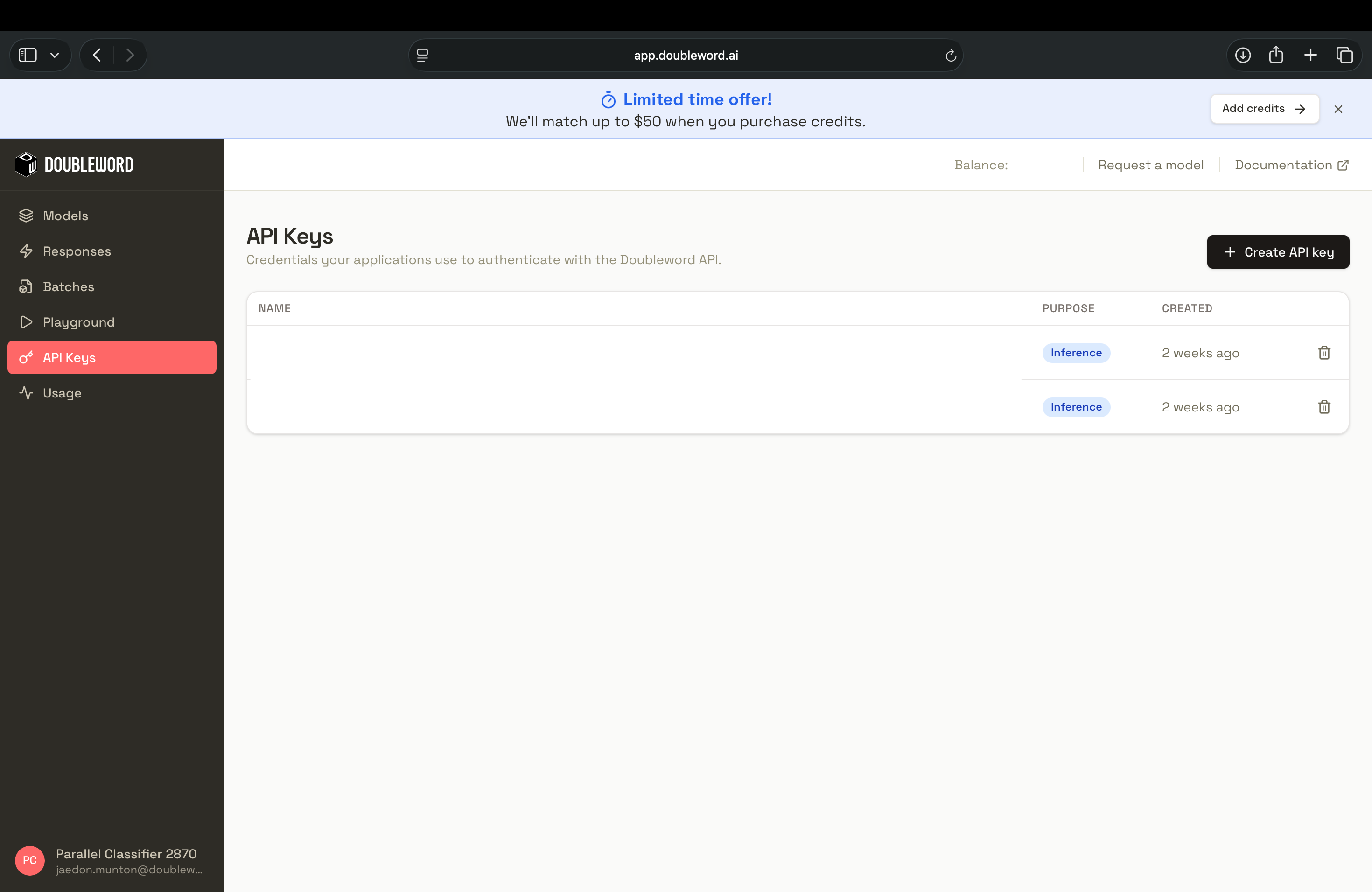
Use an inference key. Platform keys can't make model calls.
2. Add Doubleword as a model provider
In LangWatch, go to Settings, Model providers, click Add model provider and select Doubleword.
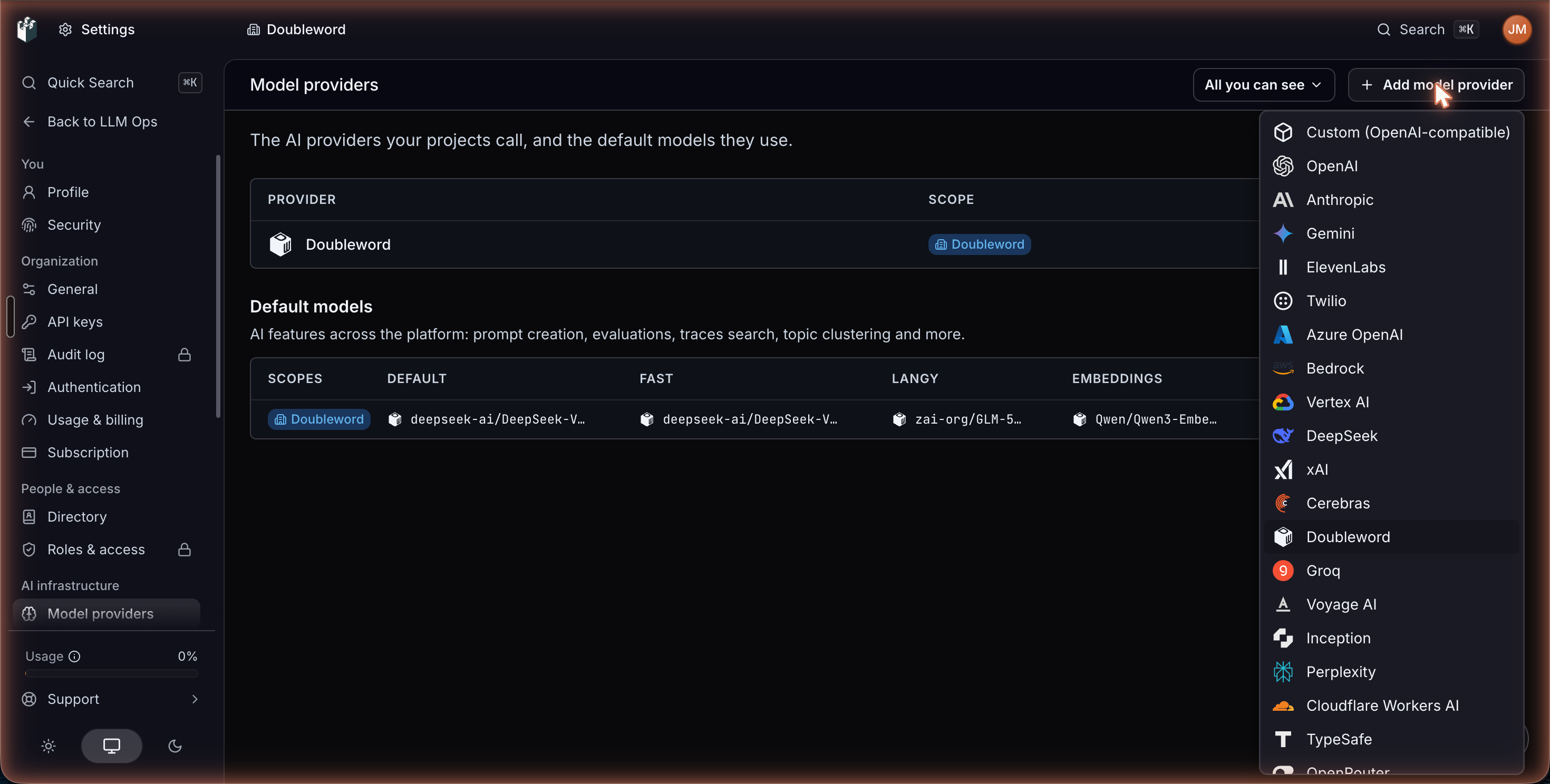
Fill in the drawer:
| Field | Value |
|---|---|
| Name | How the provider appears in model pickers. LangWatch fills in Doubleword. |
| Scope | Who can use it: an organization, team or project. It starts on your organization, and you can't change it after saving. |
DOUBLEWORD_API_KEY | The key from step 1. |
Leave Routing handle as doubleword, which is the prefix the gateway uses in step 4.
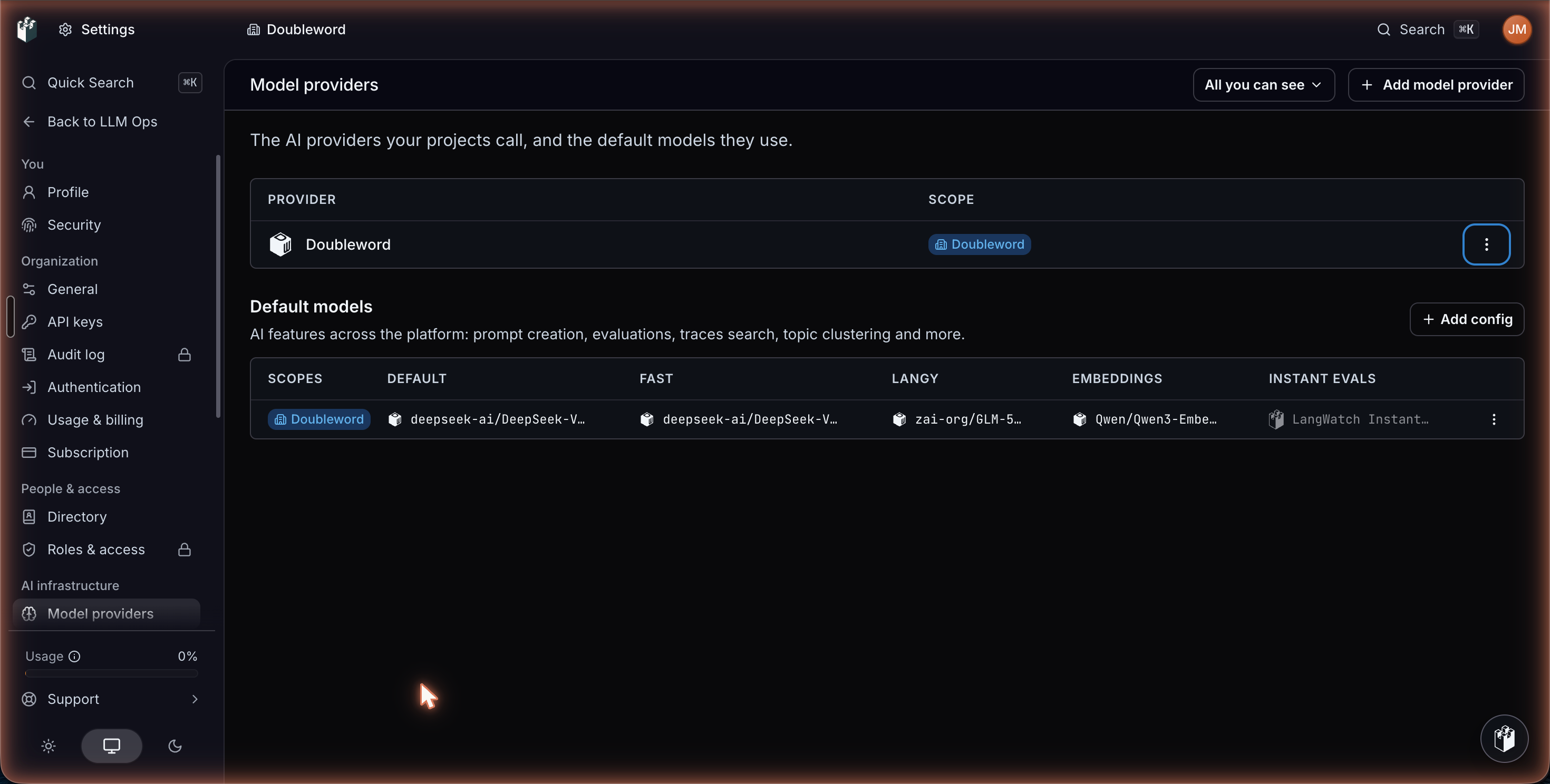
Save, then click Test connection in the row's menu. A working key shows Connection works under the provider's name. LangWatch stores the key encrypted and never sends it back to your browser.
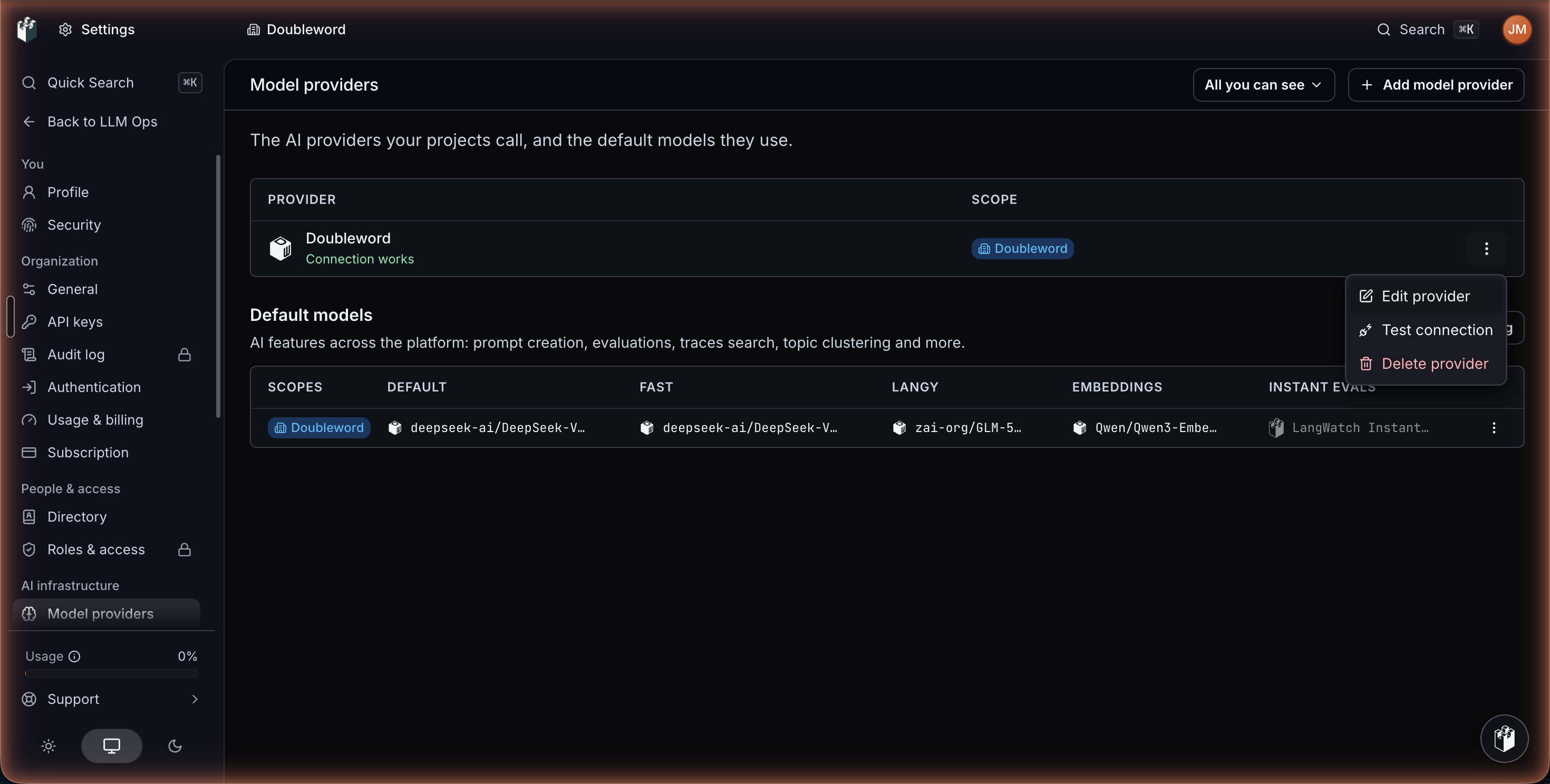
Models sync automatically from the Doubleword catalog. If a new one hasn't appeared yet, add it under Custom models by its id, for example deepseek-ai/DeepSeek-V4.1-Flash-1017. The models page lists current ids.
3. Use Doubleword models across LangWatch
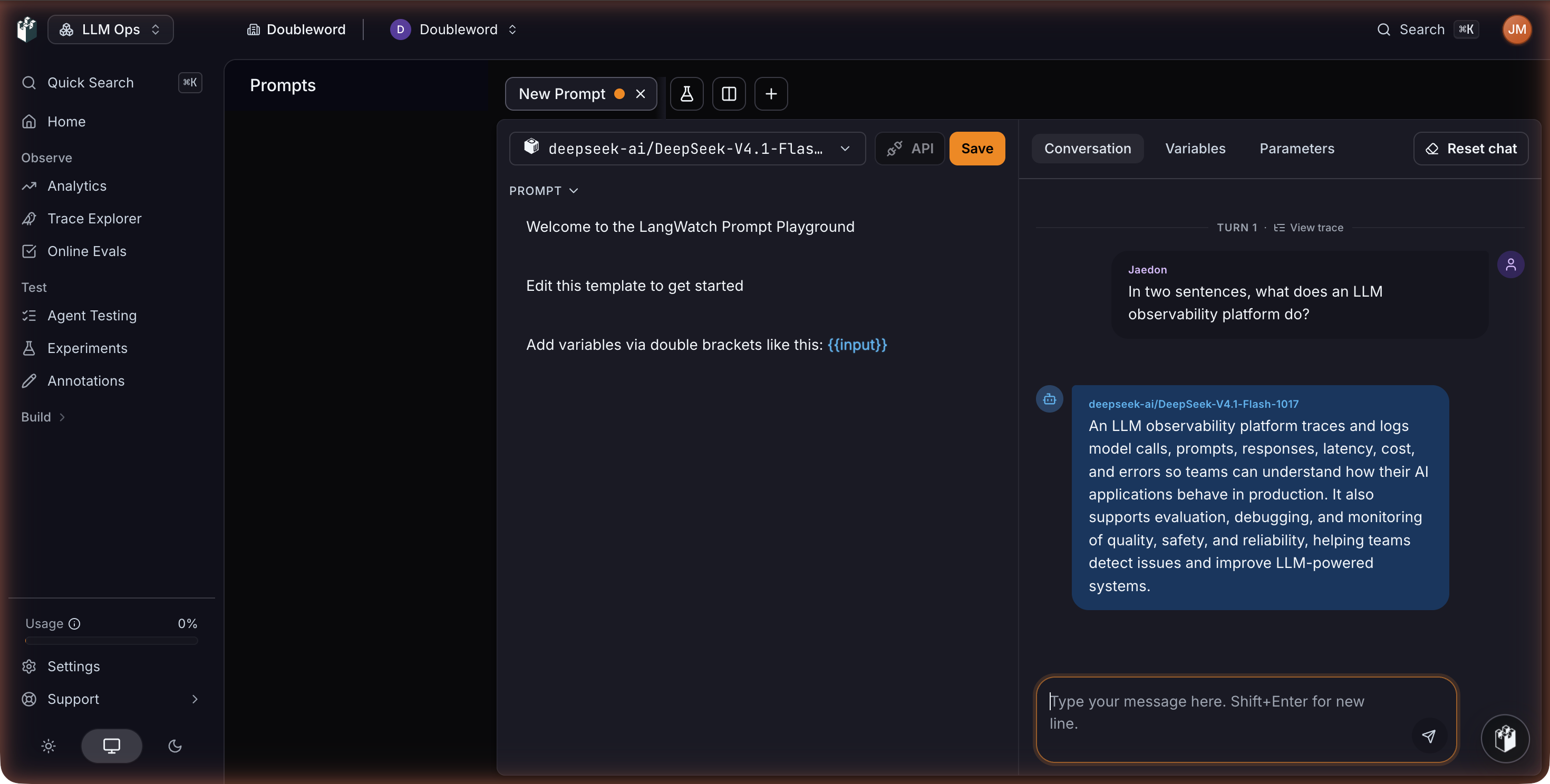
Doubleword models now appear in every model picker, including evaluators, the prompt playground, Workflows and Agent Testing. To check, open Prompts, create a prompt, choose DeepSeek V4.1 Flash 1017 from the model selector, and send a message.
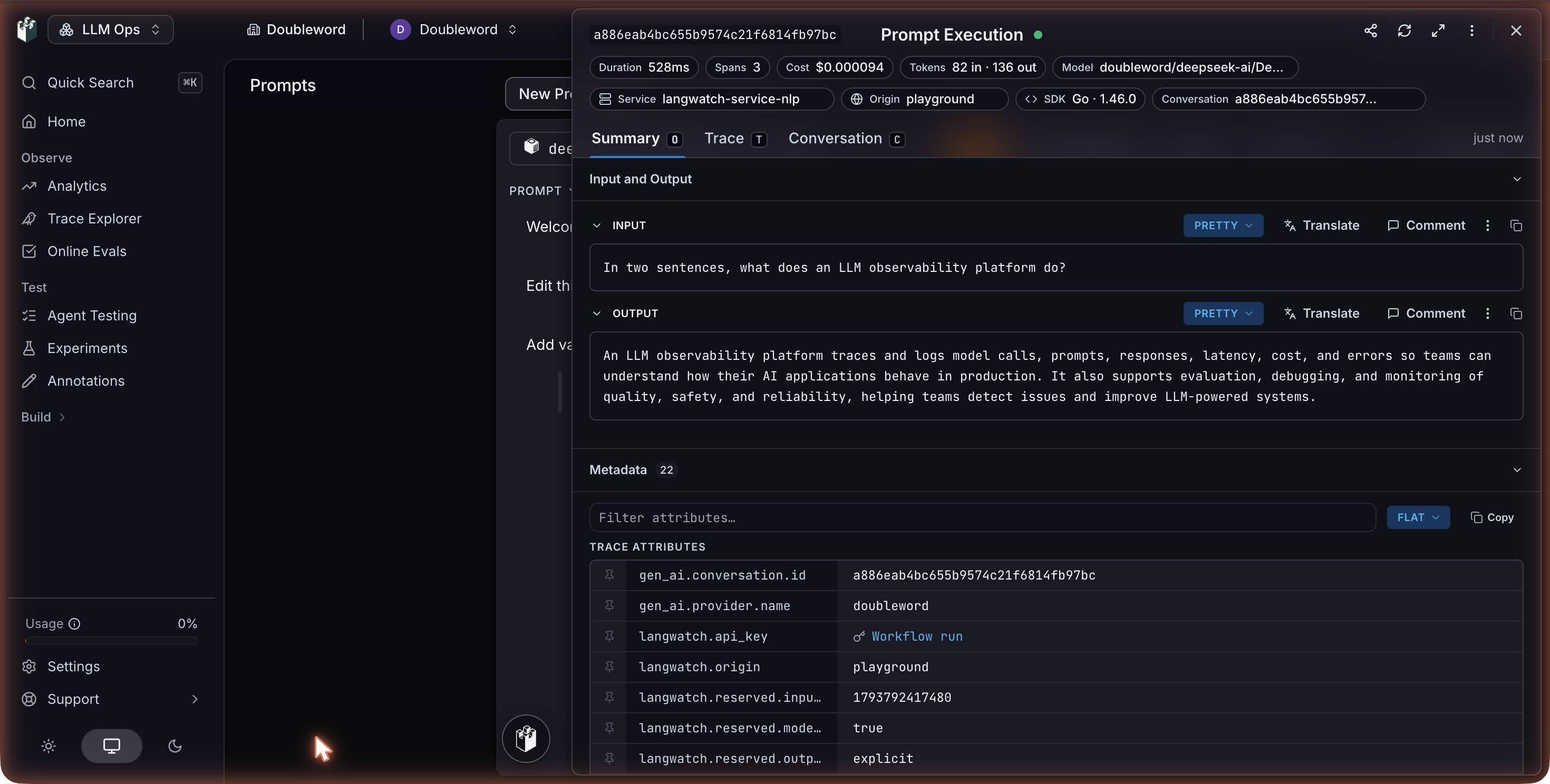
Click View trace above the reply to see the call as a trace, with its tokens, latency and cost.
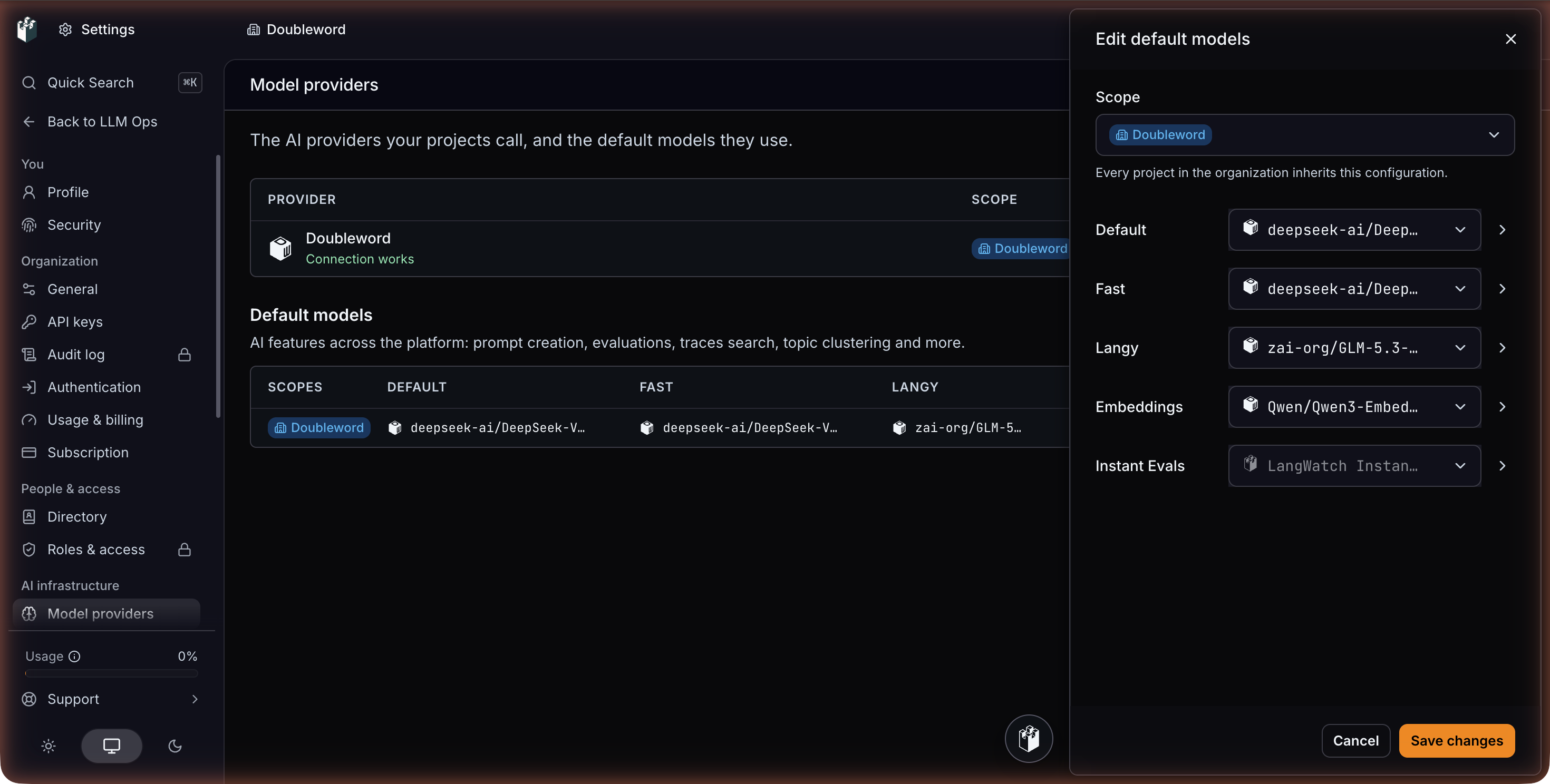
To make Doubleword the default, scroll to Default models on the Model providers page and click Add config. Pick a scope, then set a model per role (Default, Fast, Langy, Embeddings, Instant Evals) and per feature, such as new evaluators or topic clustering. For this example, we chose DeepSeek V4.1 Flash 1017 for Default and Fast, and Qwen3 Embedding 8B for Embeddings. Project configs override team configs, which override organization configs.
Online evaluators run a judge on every trace, so they drive most of the cost. DeepSeek V4.1 Flash 1017 costs 0.60 per million output tokens on realtime, which keeps judging every trace cheap. Before switching, compare your current judge and a Doubleword judge in an experiment.
4. Trace your own app's Doubleword calls
The steps above let LangWatch call Doubleword for you. To debug and evaluate your own app, send its Doubleword calls to LangWatch as traces. There are two ways.
With the LangWatch SDK
Your app keeps calling Doubleword directly, and you don't need the provider from step 2. Install the SDK and the OpenAI client:
pip install langwatch openaiSet both keys. The LangWatch key is in your project settings. If you created it under Settings, API Keys, also set LANGWATCH_PROJECT_ID.
export DOUBLEWORD_API_KEY="sk-..."
export LANGWATCH_API_KEY="..."
Point the OpenAI client at Doubleword, wrap your function in @langwatch.trace(), and turn on tracking for the client:
import os

import langwatch
from openai import OpenAI

langwatch.setup()

client = OpenAI(
    api_key=os.environ["DOUBLEWORD_API_KEY"],
    base_url="https://api.doubleword.ai/v1",
)


@langwatch.trace(name="Doubleword chat completion")
def answer(question: str) -> str:
    langwatch.get_current_trace().autotrack_openai_calls(client)

    response = client.chat.completions.create(
        model="deepseek-ai/DeepSeek-V4.1-Flash-1017",
        messages=[{"role": "user", "content": question}],
    )
    return response.choices[0].message.content


if __name__ == "__main__":
    print(answer("Explain what an LLM trace is in two sentences."))
The script prints the model's answer. Within a few seconds, a Doubleword chat completion trace appears under Trace Explorer, with the input, output, tokens and cost. LangWatch labels the model openai/deepseek-ai/... because the call goes through the OpenAI client, and still prices it at Doubleword's rate.
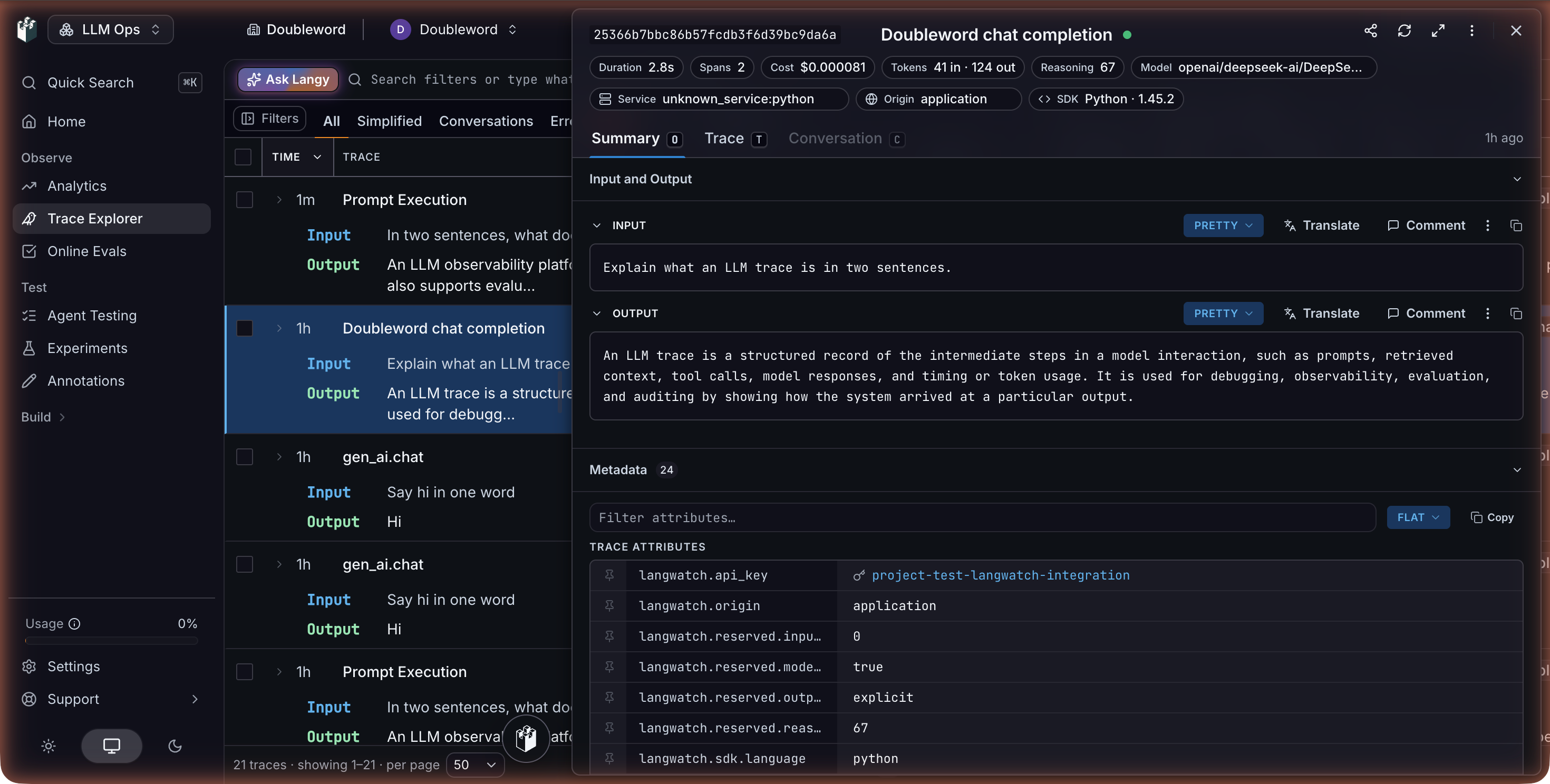
The same pattern works anywhere in your app: each call the tracked client makes inside a traced function becomes a step in that trace.
Through the LangWatch AI Gateway
The LangWatch AI Gateway routes requests through the provider from step 2, so your app calls LangWatch with a virtual key and every request gets a trace and cost with no SDK code. Create a virtual key under AI Gateway, Virtual Keys, and write the model as doubleword/<model id>:
curl https://gateway.langwatch.ai/v1/chat/completions \
  -H "Authorization: Bearer $LANGWATCH_VIRTUAL_KEY" \
  -H "Content-Type: application/json" \
  -d '{
    "model": "doubleword/deepseek-ai/DeepSeek-V4.1-Flash-1017",
    "messages": [{"role": "user", "content": "Say hi in one word"}]
  }'
Always include the doubleword/ prefix. LangWatch treats everything before the first slash as the provider, so openai/gpt-oss-120b goes to OpenAI and doubleword/openai/gpt-oss-120b goes to Doubleword. The gateway supports chat completions, Anthropic-format messages, embeddings and model listing for Doubleword. See LangWatch's Doubleword provider page for details.
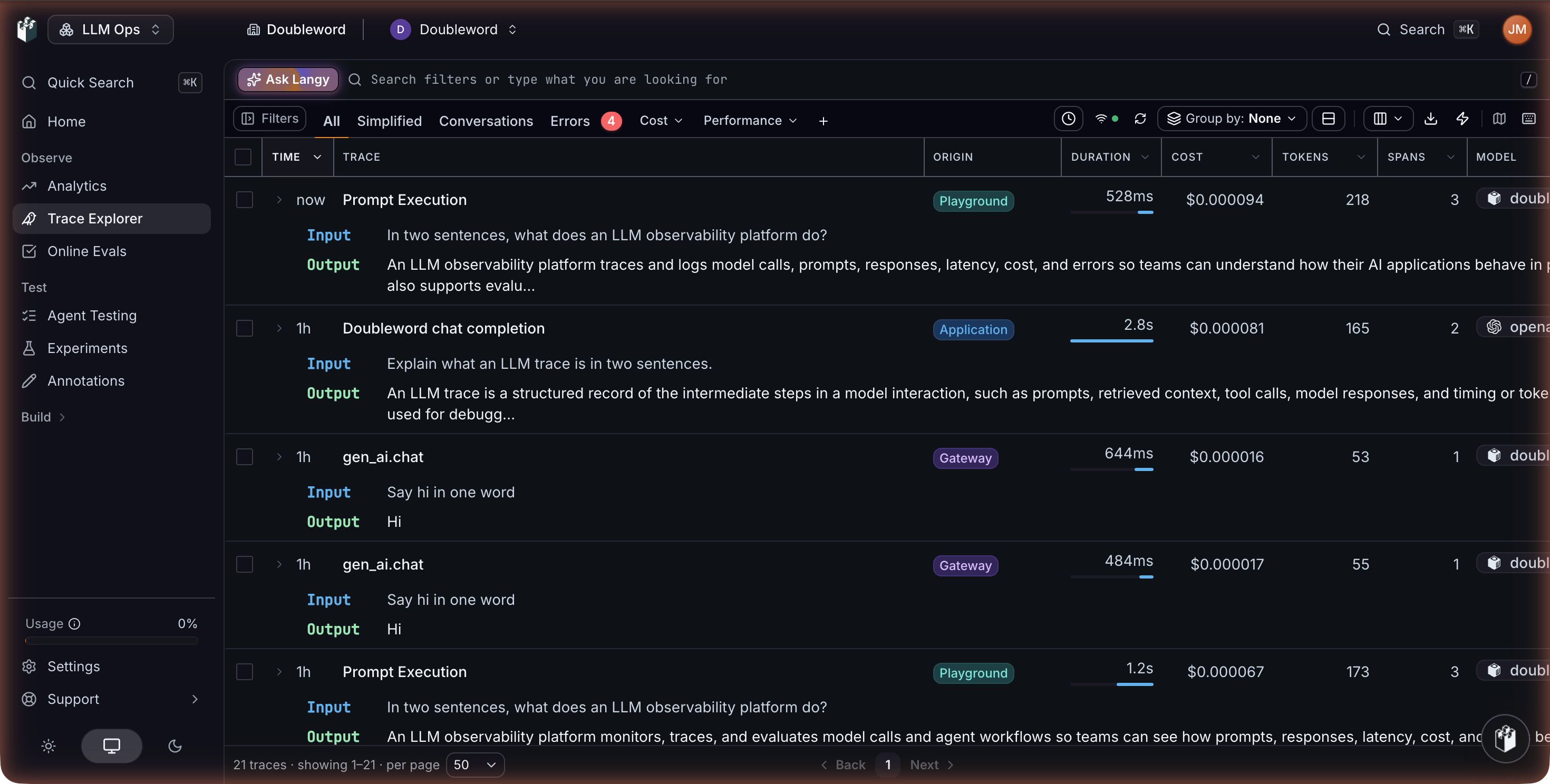
Gateway requests show up in Trace Explorer with the origin Gateway, next to traces from the SDK and the playground.
5. Ask Langy about your traces
Langy is a coding agent built into LangWatch. It reads your traces and evaluations, answers questions about them, writes Scenario tests, and can open a pull request with a fix on repositories where you install its GitHub App. It runs in a sandbox and makes its model calls through the LangWatch AI Gateway, so it can run on a Doubleword model.
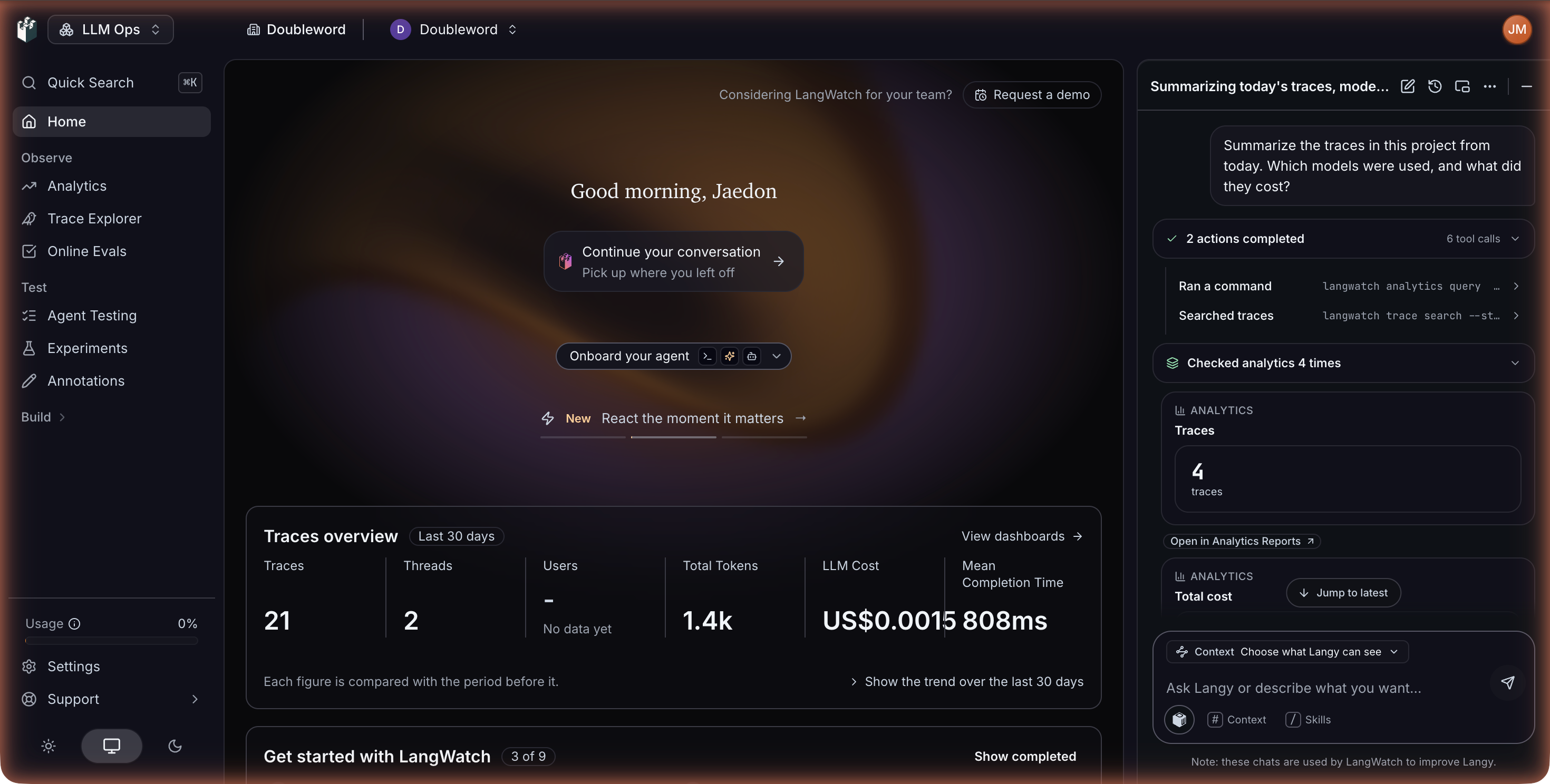
Langy has its own model role. Set Langy to a Doubleword model in the Default models config from step 3. Langy makes many tool calls per answer, so pick a model that handles tool use well, such as GLM 5.3. Then type a question into Ask Langy on the LangWatch home page, for example:
Summarize the traces in this project from today. Which models were used, and what did they cost?
Langy searches your traces with the langwatch CLI and shows each step as it works.
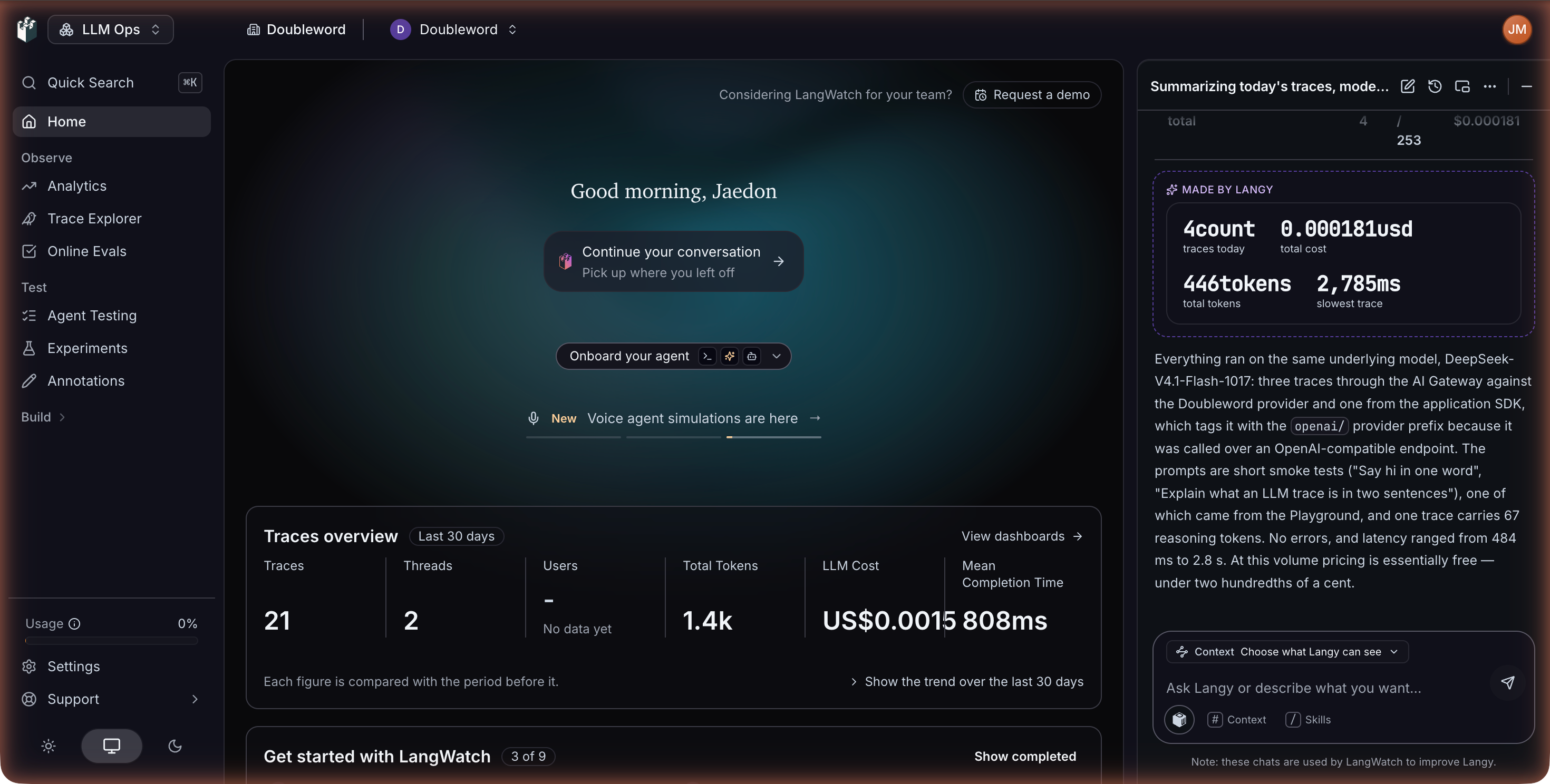
It answers with a breakdown by model and a short summary. Here it found the playground, gateway and SDK calls from this guide and totalled their cost.
Troubleshooting
Test connection fails, or model calls return HTTP 403. The key is probably a platform key. Create an inference key in the Doubleword Console and paste it into the provider.
A call fails saying the account has no credit left. Top up your Doubleword account in the Doubleword Console.
Doubleword models don't show up in a model picker. Check the provider's scope includes your project. If one model is missing, add it under Custom models.
A gateway request goes to the wrong provider. Check that the model starts with doubleword/, for example doubleword/openai/gpt-oss-120b.
langwatch.setup() raises an AttributeError. Your Python is too new for the current SDK, so pip installed an old release. Use Python 3.10 to 3.13 and reinstall.
Langy says it needs a model to get started. Set the Langy role in Default models to a Doubleword model.
No trace appears after running the SDK example. Check LANGWATCH_API_KEY (and LANGWATCH_PROJECT_ID if needed) is set in the terminal running the script.
Good to know
LangWatch features call Doubleword on the realtime tier. For your own app's background work, such as offline evals or bulk scoring, add service_tier="flex" to run on Doubleword's cheaper async tier. Flex requests can take up to a minute to start, so keep realtime for anything a user waits on. In the SDK example, that's one extra argument:
response = client.chat.completions.create(
    model="deepseek-ai/DeepSeek-V4.1-Flash-1017",
    messages=[{"role": "user", "content": question}],
    service_tier="flex",
)
Through the gateway, add "service_tier": "flex" to the request body and LangWatch forwards it to Doubleword. LangWatch prices Doubleword calls at realtime rates, so a flex call's cost in LangWatch reads higher than your bill. For the deepest discount on large offline runs, use the batch tier. Check your actual spend with dw usage in the dw CLI or in the Doubleword Console.
Next steps
Browse the models page for more models and pricing, read LangWatch's Model Providers guide for scopes and default models, and set up your first online evaluator on a Doubleword model. The other Doubleword integrations cover more evaluation and tracing tools.