

Langsmith
LangSmith is LangChain's cloud platform for tracing and evaluating LLM
apps. The eval most worth running continuously is an LLM-as-judge that catches prompt and model
regressions before they ship. On Doubleword's batch tier it runs 7–27× cheaper than the same
workload on a frontier model. The langchain-doubleword chat models are standard LangChain models, so
Doubleword slots straight into LangSmith tracing and evals.
What it costs
We tested a 500-example LLM-as-judge regression eval in which one app answers a set of questions, a stronger model grades each answer.
The cost was $0.44 on Doubleword (gpt-oss-20b answering, DeepSeek-V4-Pro judging), measured with dw batches analytics. In production the answers already exist, so the eval you re-run on every change is the judge: about $0.00076 per trace with this model as an evaluator.
Cost scales linearly. Per million evals, against the same token volume on a frontier model (GPT-5.5 at 30, Claude Opus 4.8 at 25 per million tokens):
| Per 1M evals | Doubleword | GPT-5.5 | Claude Opus 4.8 |
|---|---|---|---|
| Judge only (recurring) | $760 | $5,389 (7×) | $4,751 (6×) |
| Whole run (generate + judge) | $882 | $23,796 (27×) | $20,182 (23×) |
Figures are from the async (high-throughput) tier; the batch tier is cheaper still. LangSmith shows
traces, tokens, and feedback scores; for the authoritative batch spend use the Doubleword console at
app.doubleword.ai/batches or dw batches analytics.
The eval
One app answers a set of questions, a stronger model grades every answer against a reference on three axes (relevance, truthfulness, tone), and the scores land on a LangSmith experiment. Run it again after a prompt or model change and compare the experiments. If the scores drop, you've caught a regression. A complete runnable example judges an app on the batch tier and re-runs after a change to show the move.
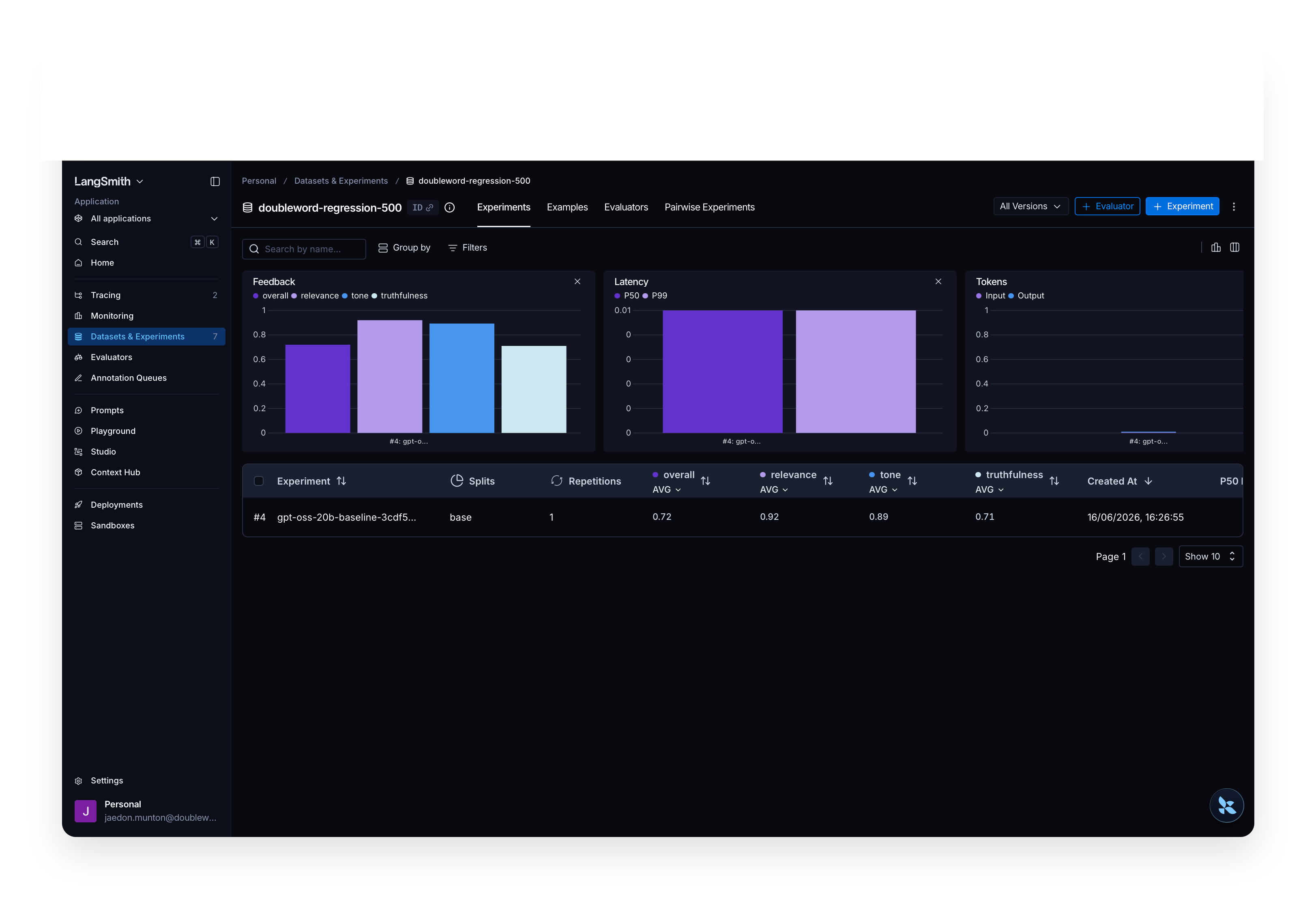
A 500-example regression eval in LangSmith: gpt-oss-20b answers each question and DeepSeek-V4-Pro
grades the answer on relevance, truthfulness, and tone. Re-run after a change and the bars move.
When a prompt regresses the drop is obvious. The two prompts differ by one instruction set:
- 😇 baseline: "Answer the question truthfully and concisely. If you are unsure, say so rather than guessing."
- 🥴 regressed: "You are a confident, entertaining assistant. Always give a definitive, elaborate answer… Never admit uncertainty and never refuse."
The same eval on each, 50 examples over the same questions:
| Prompt | relevance | truthfulness | tone | overall pass |
|---|---|---|---|---|
| baseline | 0.97 | 0.75 | 0.92 | 76% |
| regressed | 0.87 | 0.38 | 0.55 | 34% |
Generation and judging each batch through autobatcher (one batch per stage), and the LangSmith
evaluator is a pure lookup of the verdicts, so it adds no model calls. Use ChatDoublewordBatch (or
ChatDoublewordAsync for the high-throughput async tier) and run with concurrency to keep evals at the batch
price.
Connect Doubleword to LangSmith
Setup takes a few minutes.
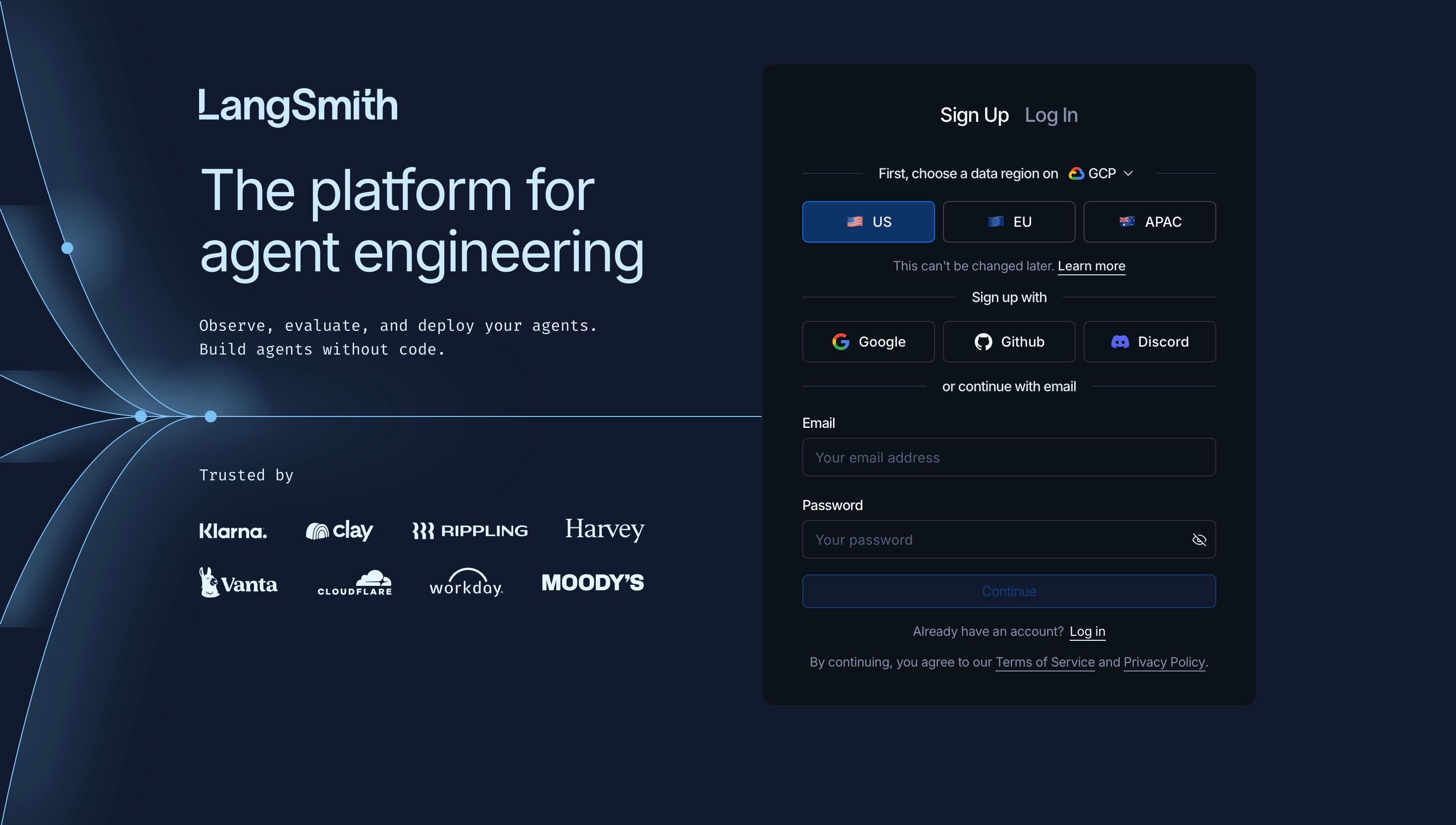
Step 1: Sign up for LangSmith
Create an account at smith.langchain.com. Pick a data region (US, EU, or APAC, which can't be changed later), then sign up with Google, GitHub, or email.
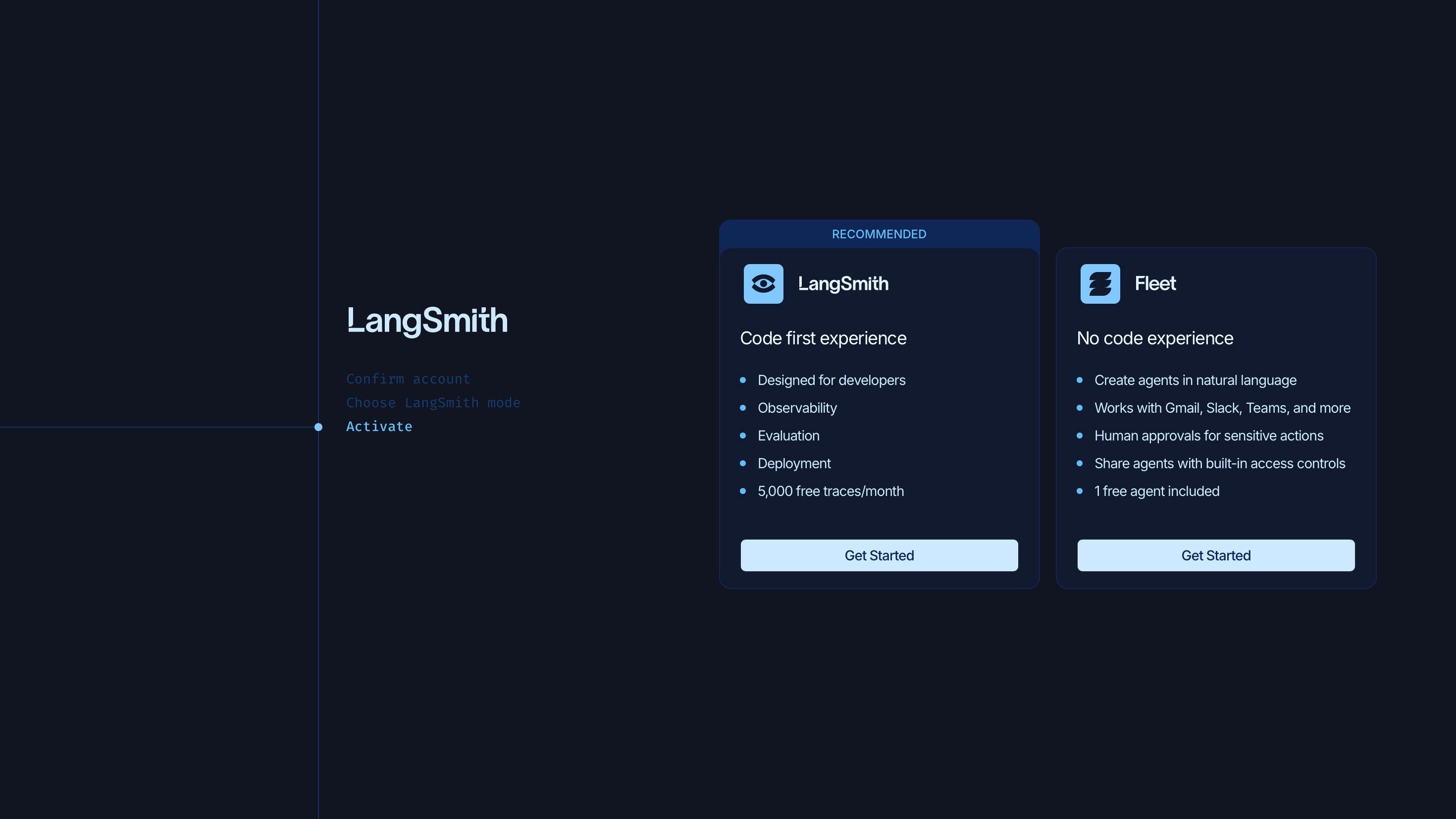
Step 2: Choose the code-first experience
LangSmith offers a code-first mode and a no-code mode (Fleet). For SDK tracing and evals with
langchain-doubleword, choose LangSmith.
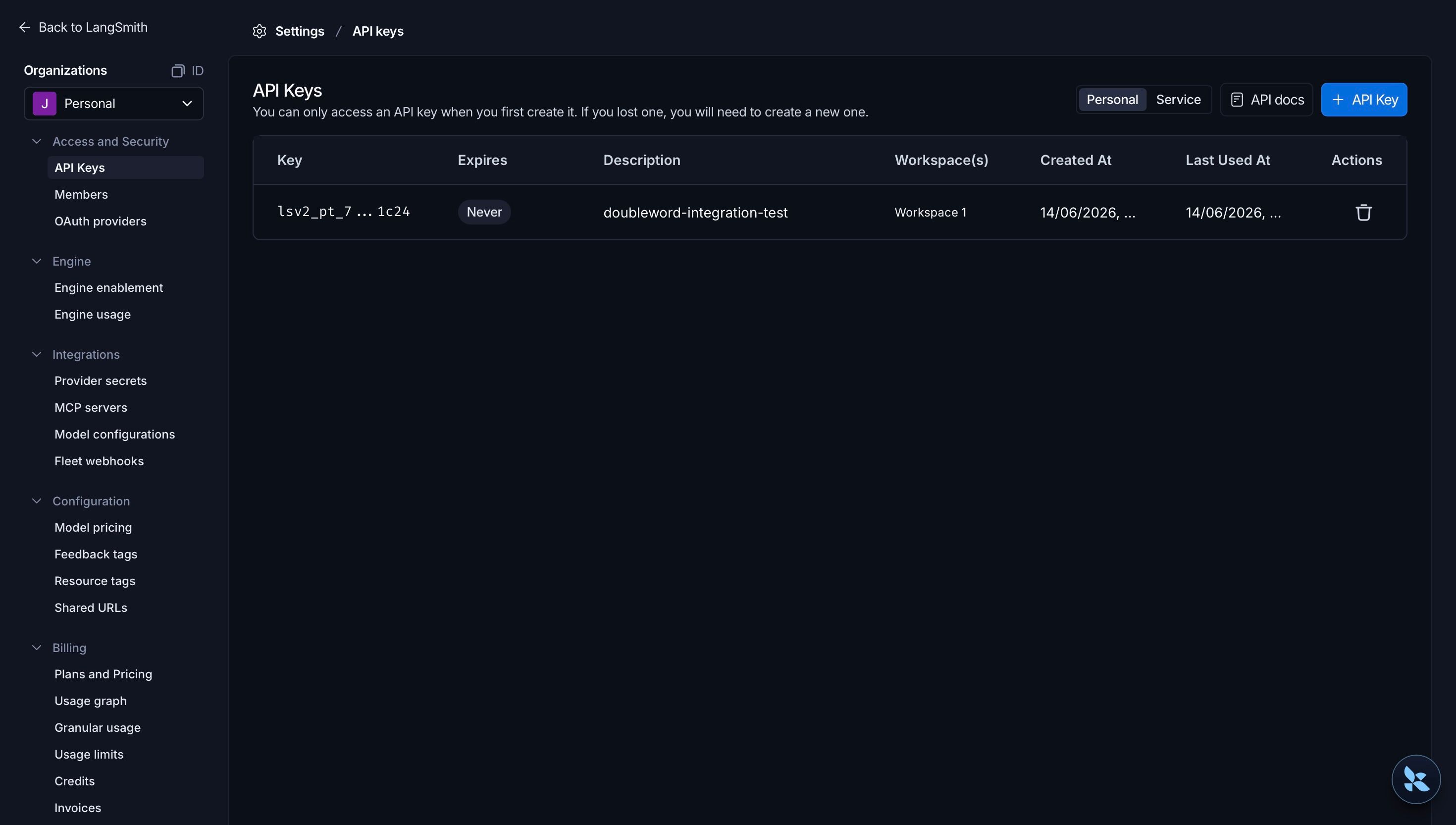
Step 3: Create an API key
Go to Settings → API Keys and click + API Key. A Personal Access Token is fine for local use (choose a Service Key for CI). Name it, set an expiry, and click Create API Key.
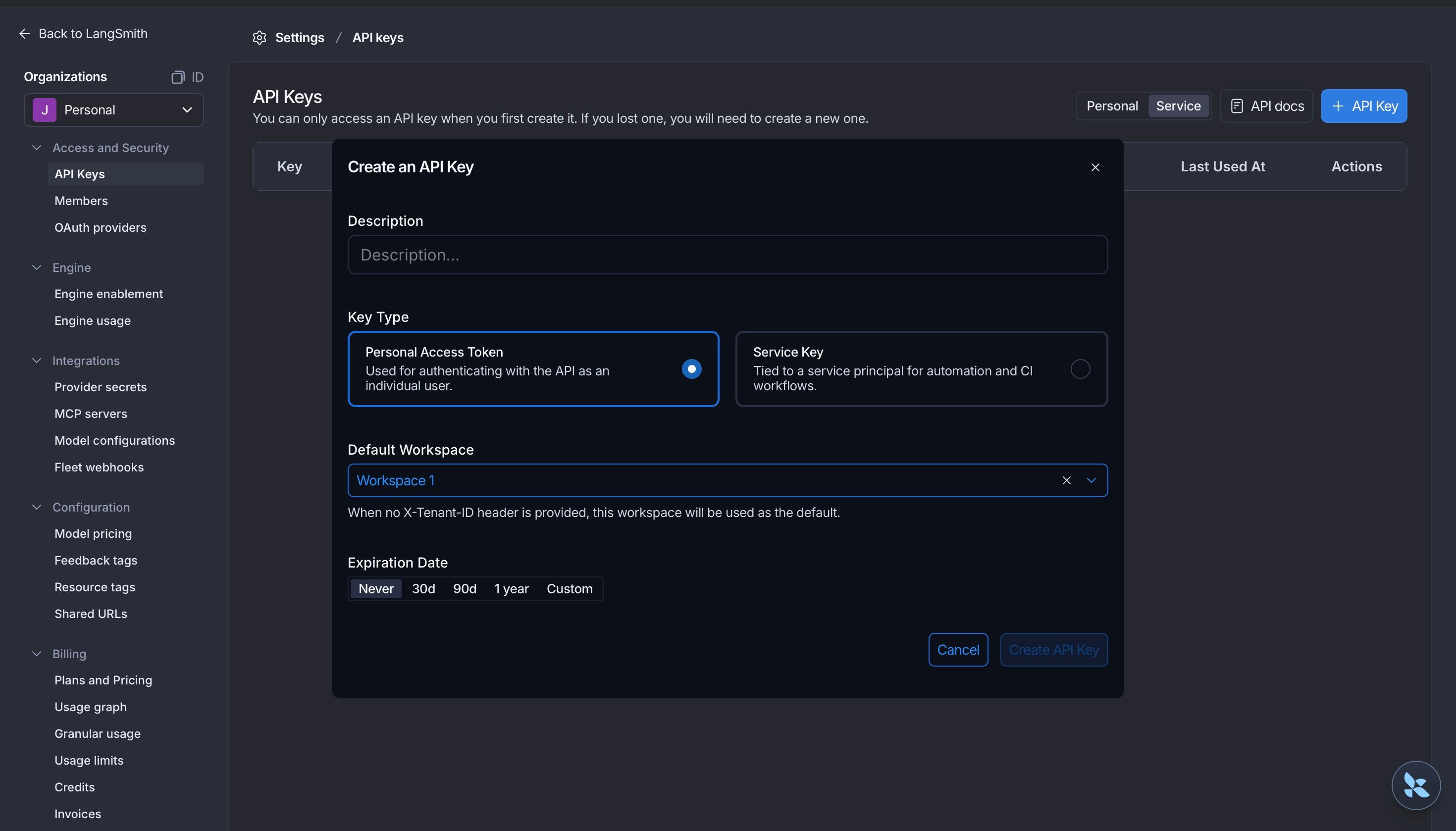
The key is shown only once, so copy it now. It starts with lsv2_.
Step 4: Install
pip install langchain-doubleword langsmithStep 5: Authenticate
DOUBLEWORD_API_KEY comes from API Keys and LANGSMITH_API_KEY is the key from Step 3.
export DOUBLEWORD_API_KEY="sk-..."
export LANGSMITH_API_KEY="lsv2_..."
export LANGSMITH_TRACING="true"
export LANGSMITH_PROJECT="doubleword-langsmith"
If you picked the EU or APAC region in Step 1, also set LANGSMITH_ENDPOINT to that region's API, for example https://eu.api.smith.langchain.com.
Step 6: Trace a Doubleword model
With tracing on, every call is recorded in LangSmith under LANGSMITH_PROJECT:
from langchain_doubleword import ChatDoubleword

llm = ChatDoubleword(model="Qwen/Qwen3.5-9B")
print(llm.invoke("Explain bismuth in three sentences.").content)
Open the Tracing tab in LangSmith and you'll see the run, with inputs, outputs, latency, and
token counts. From here, any langchain-doubleword model traces to LangSmith and drops into
evaluate / aevaluate runs.
Further reading
- Doubleword inference API: https://docs.doubleword.ai/inference-api/intro-to-doubleword-inference
langchain-doubleword: https://github.com/doublewordai/langchain-doubleword- LangSmith tracing: https://docs.langchain.com/langsmith/observability
- LangSmith evaluation: https://docs.langchain.com/langsmith/evaluation