

Strix
Strix is an open-source AI pentester. Point it at a web app, repo or API and a team of agents tests it like a human pentester, reporting only what it can prove with a working exploit.
AI lets attackers probe further and faster than before. More teams now run deep security reviews of their own stack, often on open models.
We gave Strix a $15 budget twice against OWASP Juice Shop, a deliberately vulnerable app, with GLM-5.3 on Doubleword. On flex, the same budget processed about a third more tokens and confirmed 8 vulnerabilities, 4 of them critical. Realtime confirmed 1.
Why the bill stays low
Every Strix agent resends its full context on each step. Our runs used 41M and 57M input tokens, and about 99% came from Doubleword's automatic prompt cache at a fifth of the input price. That kept each run under 60.
Before you start
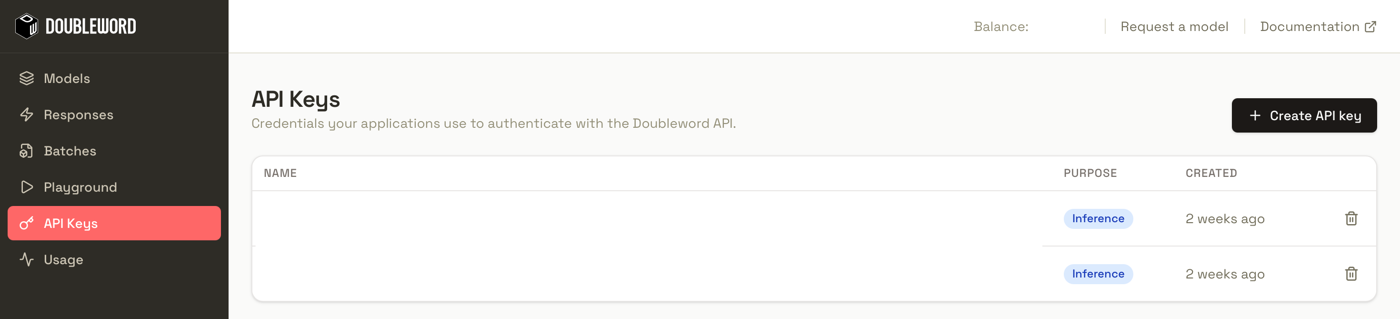
You need Docker Engine running so Strix can test inside a sandbox container. You also need a Doubleword API key. Create one under API Keys in the Doubleword Console and copy it, since it's only shown once.
Then install Strix.
curl -sSL https://strix.ai/install | bash1. Point Strix at Doubleword
export STRIX_LLM="openai/zai-org/GLM-5.3"
export LLM_API_KEY="your-doubleword-api-key"
export LLM_API_BASE="https://api.doubleword.ai/v1"
The openai/ prefix tells Strix to use its OpenAI-compatible client. Any model id from the models page works after it. Strix needs a model with tool calling and a long context window. GLM-5.3 has both, with a 1M-token window.
2. Measure your costs
Give Strix the model's prices so its cost report and --max-budget work. Without them the report reads $0 and the cap never triggers. Use the per-million-token prices from the models page, or fetch them from the API. For GLM-5.3 on realtime, set these.
export STRIX_LLM_INPUT_COST_PER_MTOK=1.40
export STRIX_LLM_CACHED_INPUT_COST_PER_MTOK=0.28
export STRIX_LLM_OUTPUT_COST_PER_MTOK=4.40
These settings were added after Strix 1.7.0 and aren't in a release yet. On 1.7.0 the scan still runs, but the cost report reads $0 and the budget cap does nothing. Until they are, install Strix from GitHub to use them, or check spend at app.doubleword.ai/usage.
uv tool install git+https://github.com/usestrix/strix3. Run a scan
Start Juice Shop locally with a larger memory limit.
docker run -d --name juice-shop -p 127.0.0.1:3000:3000 \
  -e NODE_OPTIONS=--max-old-space-size=4096 bkimminich/juice-shop
Then scan it.
strix -n --target http://localhost:3000 --scan-mode quick --max-budget 15-n runs headless, quick is the shortest scan mode and --max-budget caps spend in dollars. You can point it at localhost as is. Of course, only scan systems you own and/or have explicit permission to test.
Strix maps the app, then splits testing across specialist agents running in parallel. At 90% of the budget it stops them and writes up a report with the confirmed findings, open leads and fixes.
| Realtime | Flex | |
|---|---|---|
| Model | GLM-5.3 | GLM-5.3 |
| Budget | $15 | $15 |
| Time | 20.6 minutes | 39.6 minutes |
| Requests | 519 | 624 |
| Input tokens | 41.0M (98.6% cached) | 56.6M (99.0% cached) |
| Cost | $13.93 | $14.11 |
| Confirmed findings | 1 high | 4 critical, 4 medium |
The exit code tells CI what happened. It's 0 for a clean scan, 2 when Strix confirmed a vulnerability, 1 for an error.
Get more scan for the same budget with flex
You can leave a scan running unattended on the flex tier, since you're not waiting on each step. Flex costs about 25% less than realtime in exchange for slower responses. Strix measures --max-budget in dollars, which means the same cap buys more tokens on flex.
| Tier | GLM-5.3 price per 1M tokens (input / cached / output) |
|---|---|
| Realtime | 0.28 / $4.40 |
| Flex | 0.21 / $3.30 |
Results vary between runs, and ours is one comparison.
Strix requests flex through LLM_EXTRA_BODY.
export LLM_EXTRA_BODY='{"service_tier":"flex"}'
export LLM_PREFLIGHT_TIMEOUT=120
export LLM_TIMEOUT=900
export LLM_STREAM_FIRST_EVENT_TIMEOUT=600
export LLM_STREAM_TOTAL_TIMEOUT=1200
The longer timeouts stop Strix from giving up on a request while it waits. Switch the cost variables to the flex prices on the models page as well, or Strix overestimates the spend and stops early.
Troubleshooting
The cost report shows $0
Strix doesn't know the model's price. Set the three STRIX_LLM_*_COST_PER_MTOK variables from step 2, and check strix --version shows something newer than 1.7.0.
The scan keeps hitting 502 errors
The target has probably stopped responding. Check it's still up with docker ps. Juice Shop crashed under load in our first run until we raised its memory limit as in step 3.
LLM CONNECTION FAILED at startup
Check LLM_API_BASE is https://api.doubleword.ai/v1 and the model id after openai/ matches the models page exactly, including capitals.