

Hermes Agent
Hermes Agent is Nous Research's open-source AI agent. It runs in the Hermes Desktop app and in your terminal, and works on your files, shell and the web with its own tools.
Doubleword is in the Hermes plugin catalog. Install the plugin once and GLM-5.3, Kimi K3.1 Pro, DeepSeek V4.1 and the rest of the Doubleword models show up in Hermes next to the built-in providers.
Before you start
You need Hermes 0.23.2 or newer. In the terminal, check with hermes --version and run hermes update if it's older.
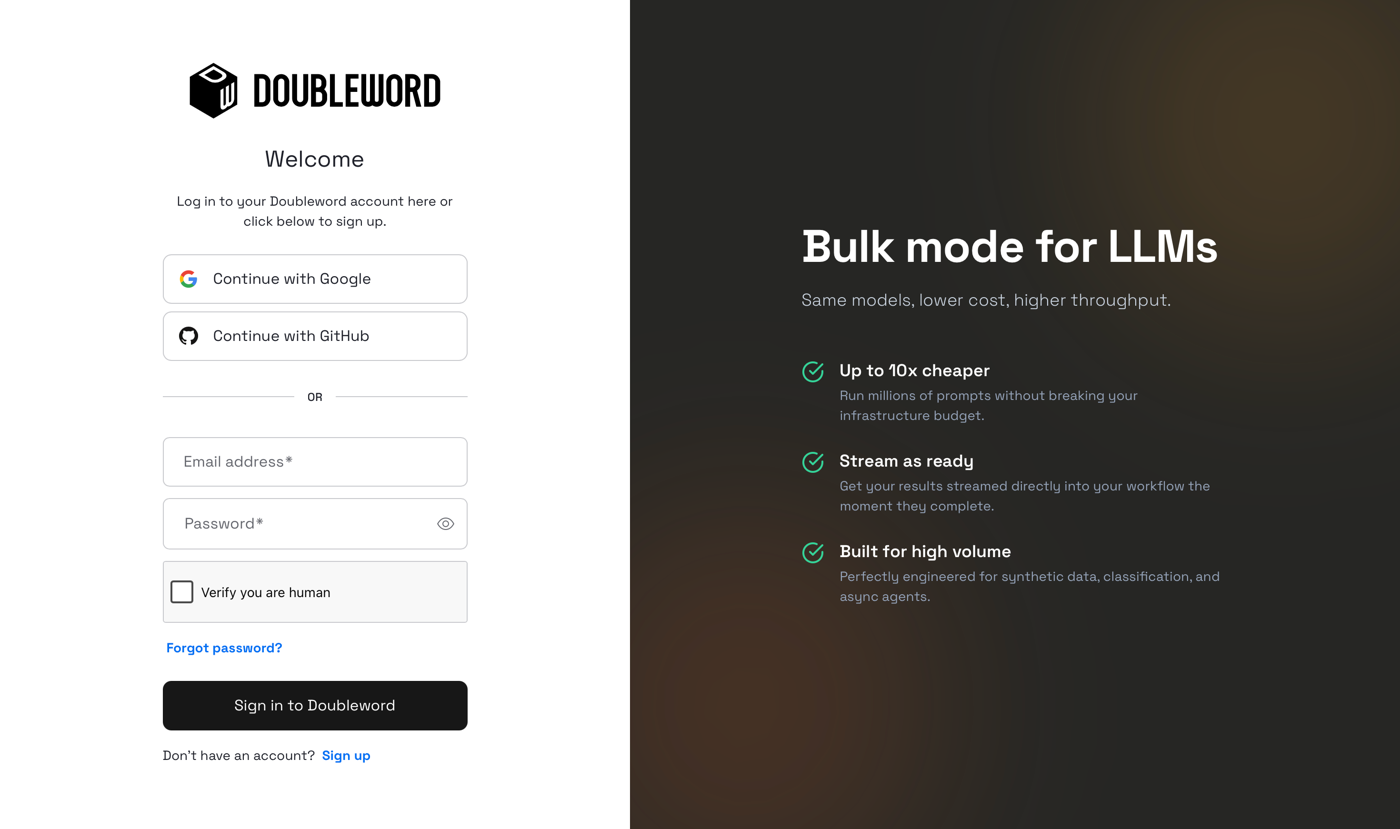
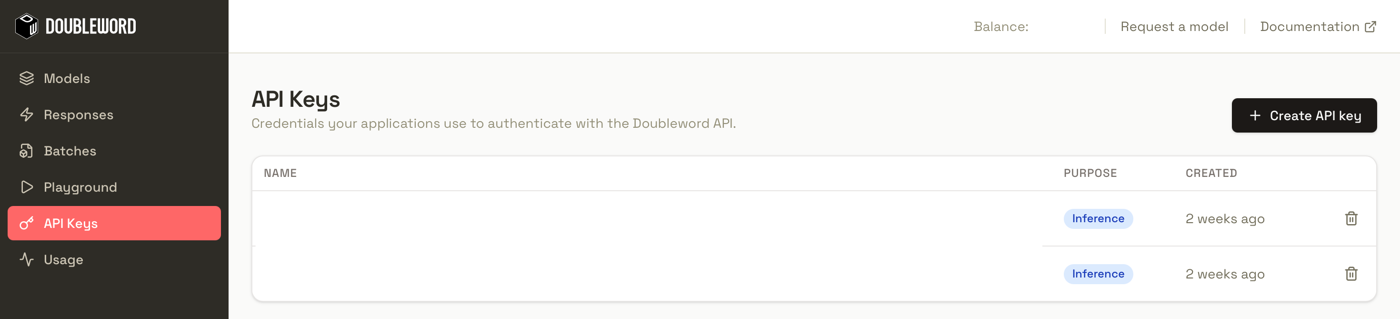
You also need a Doubleword API key. Sign in to the Doubleword Console and create a key under API Keys. Copy it, since it's only shown once.
Set up in the Hermes Desktop app
1. Install the plugin
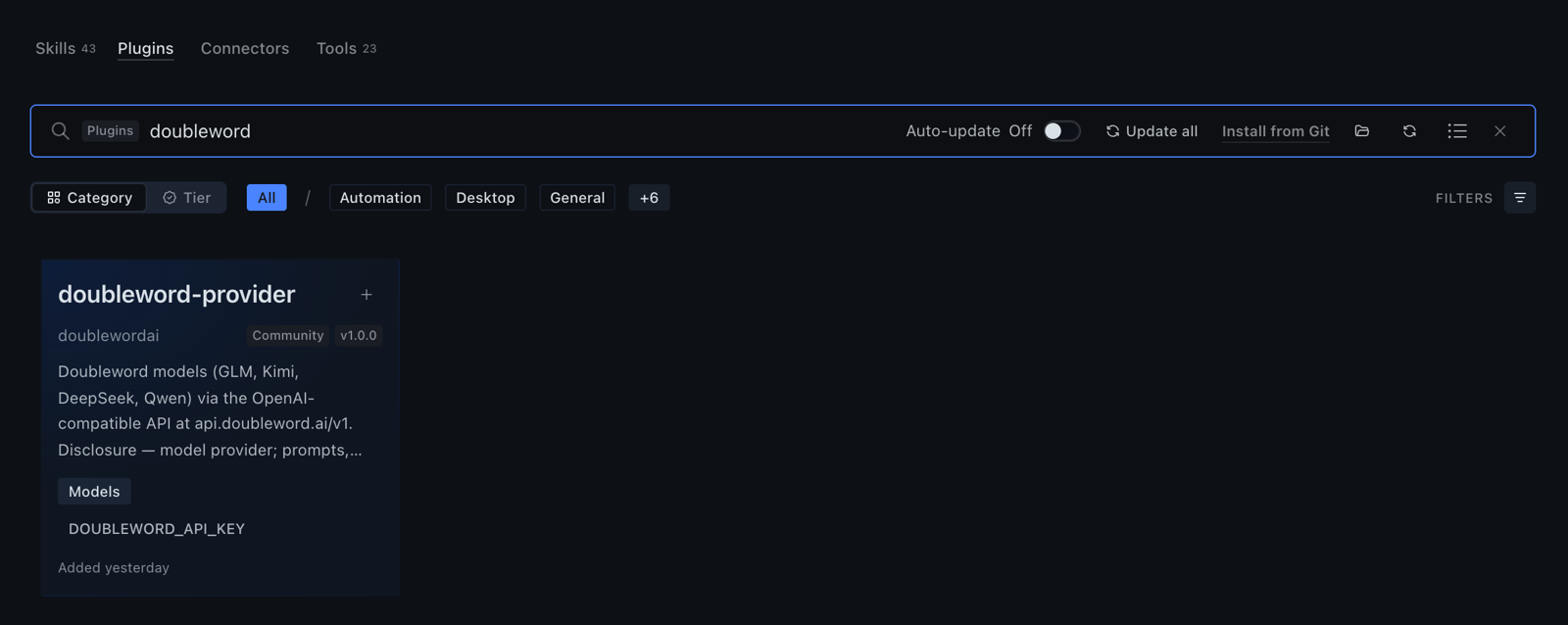
Open Capabilities, go to the Plugins tab and search for doubleword. Click + on the doubleword-provider card.
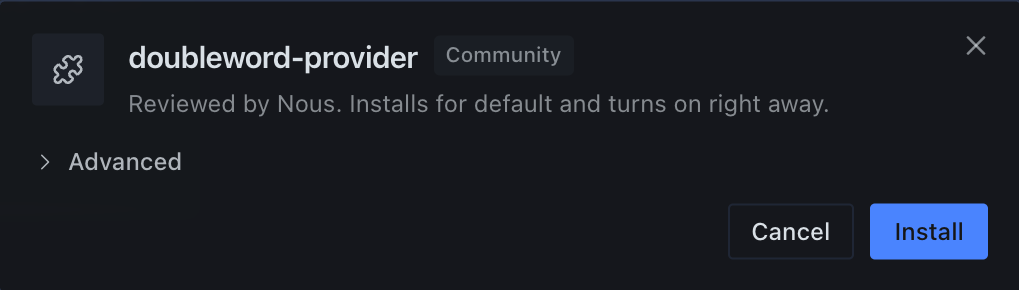
Click Install. The plugin turns on straight away.
2. Add your API key
Open Settings, then Providers and API keys. Search for doubleword and paste your key into the Doubleword field.

3. Pick a model
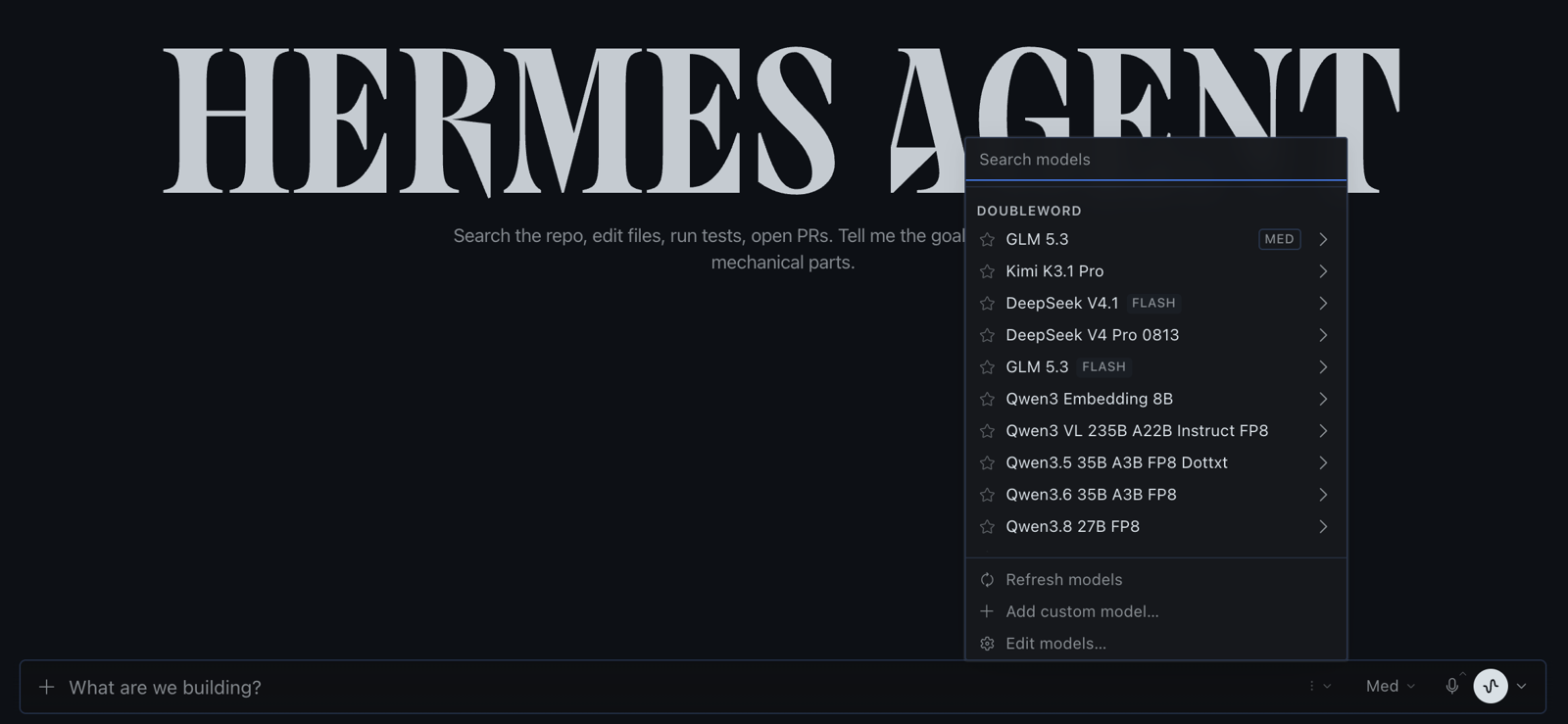
Open the model switcher in the message box. Your Doubleword models are listed under Doubleword. GLM 5.3 is a good default for agent work, with a 1M-token context window.
4. Try it
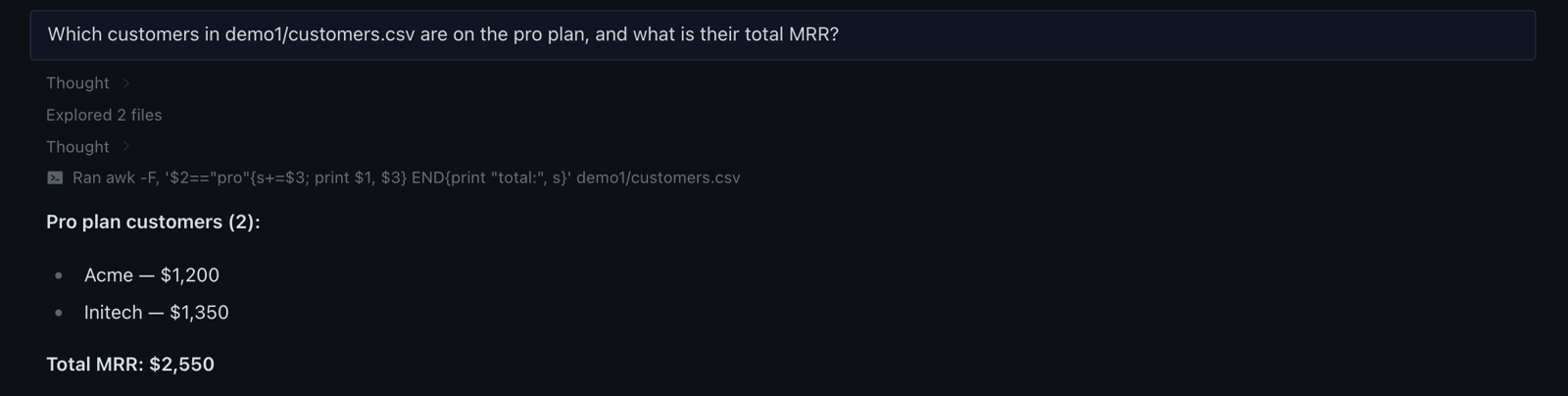
Give Hermes a task that needs your files. We pointed it at a small customer list and asked which customers are on the pro plan. GLM 5.3 looked through the folder, totalled the plan with a one-line script and answered.
Set up in the terminal
1. Install the plugin
Search the catalog, then install the plugin by name.
hermes plugins search doubleword
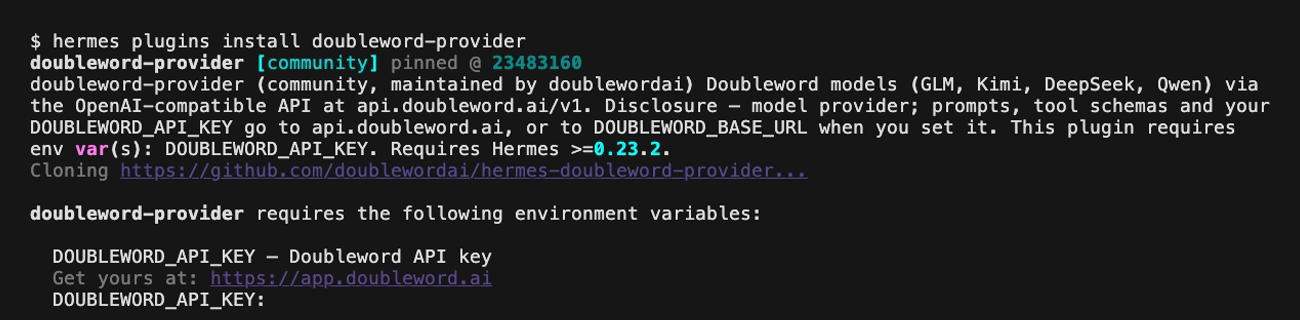
hermes plugins install doubleword-provider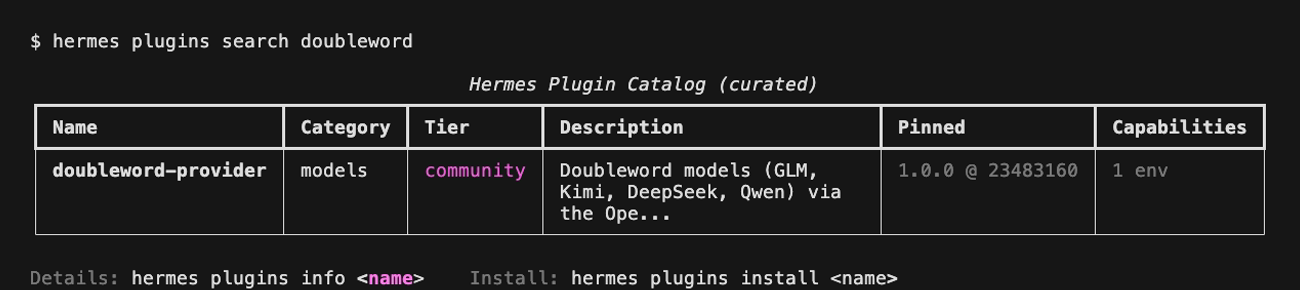
Hermes asks for your DOUBLEWORD_API_KEY. Paste the key from the Console and Hermes saves it to ~/.hermes/.env.
If Hermes reports the plugin as installed but not enabled, turn it on.
hermes plugins enable doubleword-provider2. Pick Doubleword and a model
hermes modelChoose Doubleword from the provider list. It's near the bottom, with the other plugin providers.
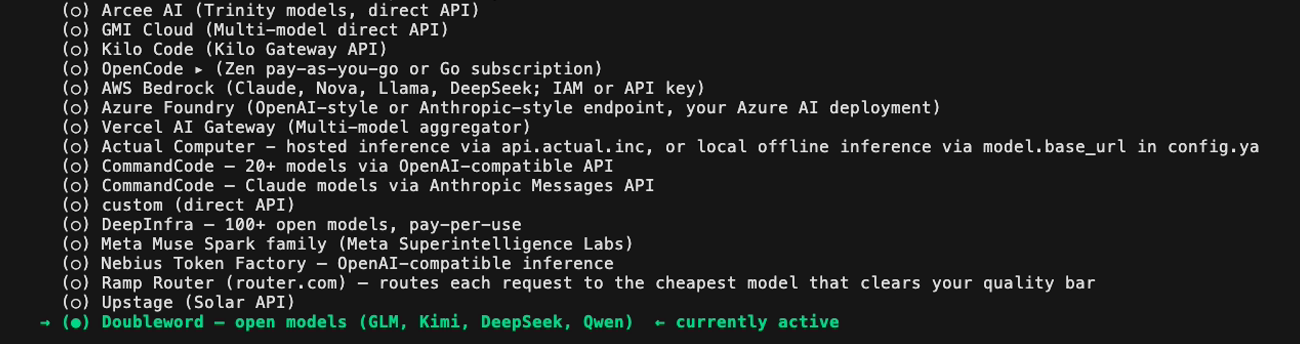
Press Enter to keep your saved key and again to accept the base URL, https://api.doubleword.ai/v1. Hermes then lists every model your key can use. Pick one, such as zai-org/GLM-5.3, then a reasoning effort, or keep the default.
3. Try it
hermes chat -q "Which customers in customers.csv are on the pro plan, and what is their total MRR?"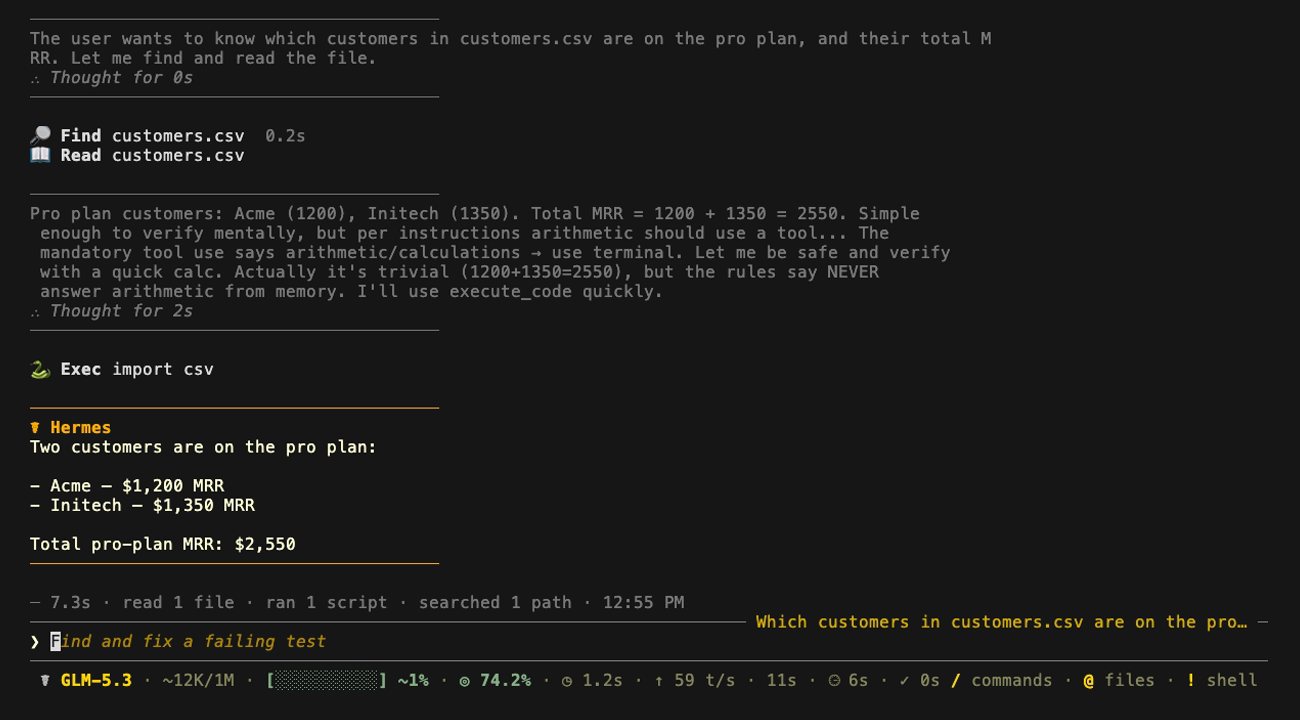
To try a different model for one run without changing your default, pass it on the command line. dw works as a short name for the provider.
hermes chat --provider dw --model moonshotai/Kimi-K3.1-Pro -q "Summarise the README in this folder"Prompt caching
Agent sessions resend the same long context on every step. Doubleword caches repeated prompt prefixes automatically, and cached input is billed at a fraction of the normal price. See the prompt caching guide.
Keeping the plugin up to date
New plugin versions reach Hermes through the catalog. In the Desktop app, use Update all in the Plugins tab. In the terminal, run this.
hermes plugins update doubleword-providerTroubleshooting
Doubleword doesn't appear as a provider
The plugin isn't installed or turned on. In the Desktop app, check the doubleword-provider card in the Plugins tab shows On. In the terminal, run hermes plugins list. Hermes versions older than 0.23.2 skip the plugin, so update Hermes too.
The API rejects your key
Check the key matches the one in the Console. Keys are region-bound, so if you set DOUBLEWORD_BASE_URL, it has to match the region your key was created in.
A model you expect isn't listed
Hermes shows the models your key can use. Use Refresh models in the Desktop model switcher, or run hermes model --refresh, and check the models page for current availability.